Live Analysis Workflows
This guide focuses on practical workflows that save developer and test time.
Workflow 1: Verify End-to-End Data Path in Minutes
- Open the All Topics tab for a domain-wide overview of every publisher and subscriber in one bus view.
- Select the topic in DDS Entities to open a focused per-topic diagram tab.
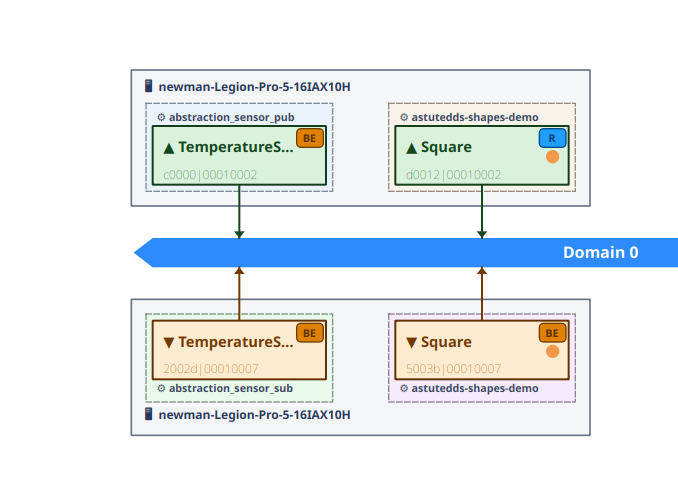
- Confirm topology path in the center canvas.
- Check Writers/Readers counts in Entity Details.
- Confirm packets and bytes in Traffic Statistics.
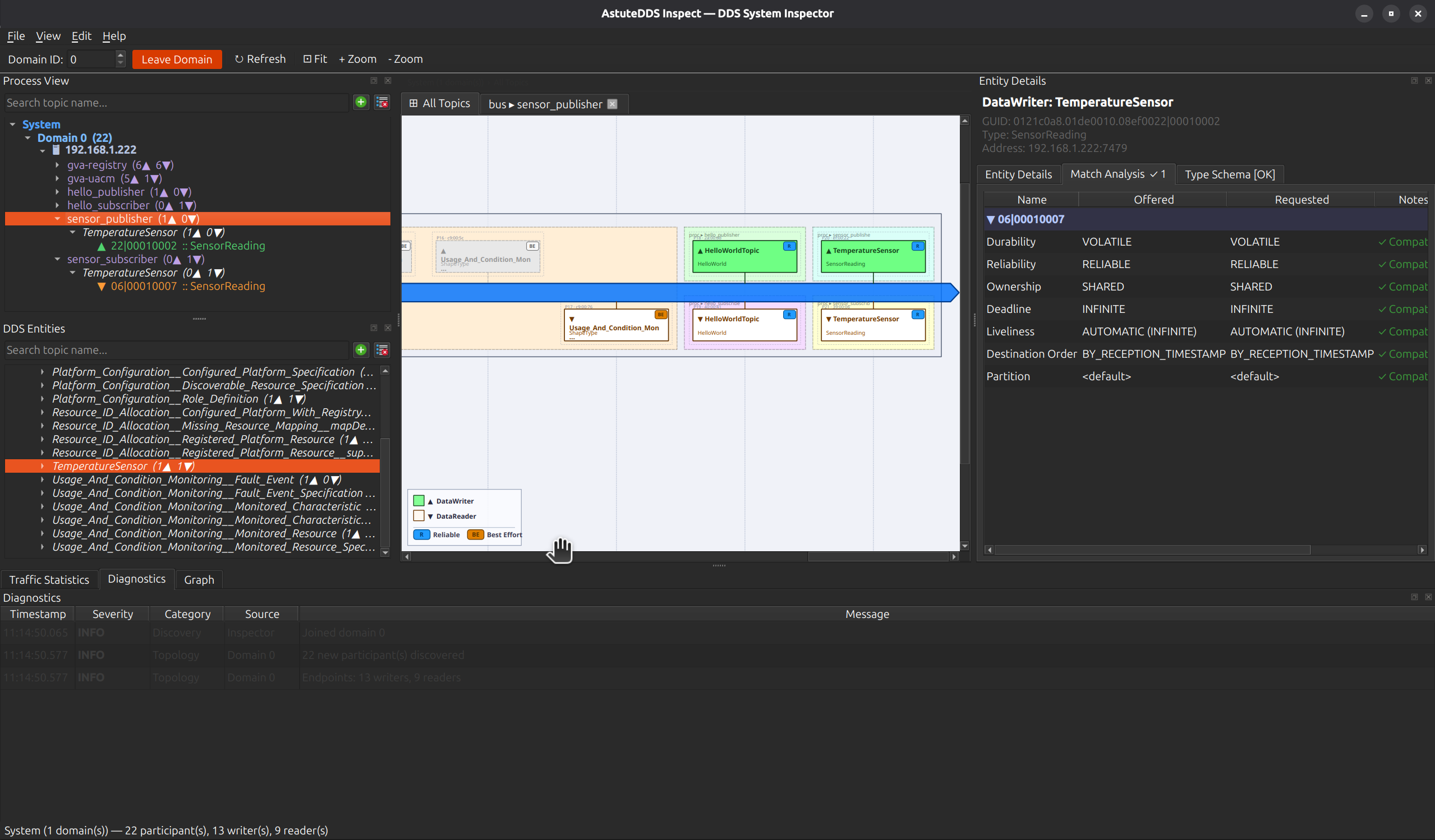
Why this is faster:
- The All Topics domain view answers "is anything publishing?" without clicking into individual topics.
- You validate discovery, matching, and traffic in one loop.
- You avoid jumping between CLI tools and logs.
Workflow 2: Diagnose QoS Mismatch
- Select the affected endpoint.
- Open Match Analysis.
- Read Offered vs Requested deltas.
- Apply policy correction and retest.
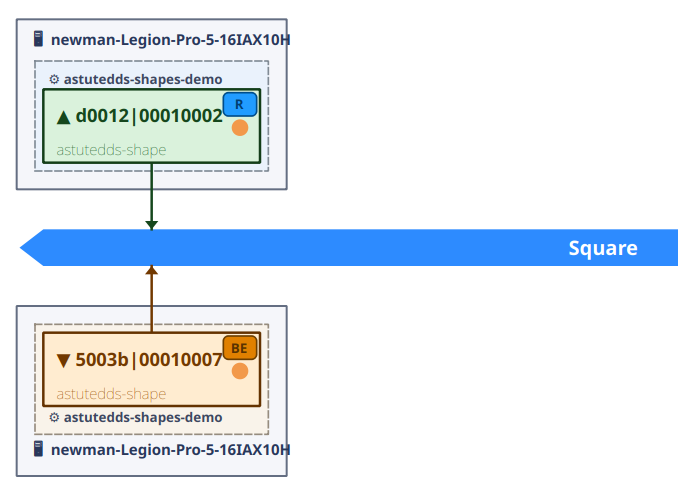
Use this close-up when presenting findings to teammates:
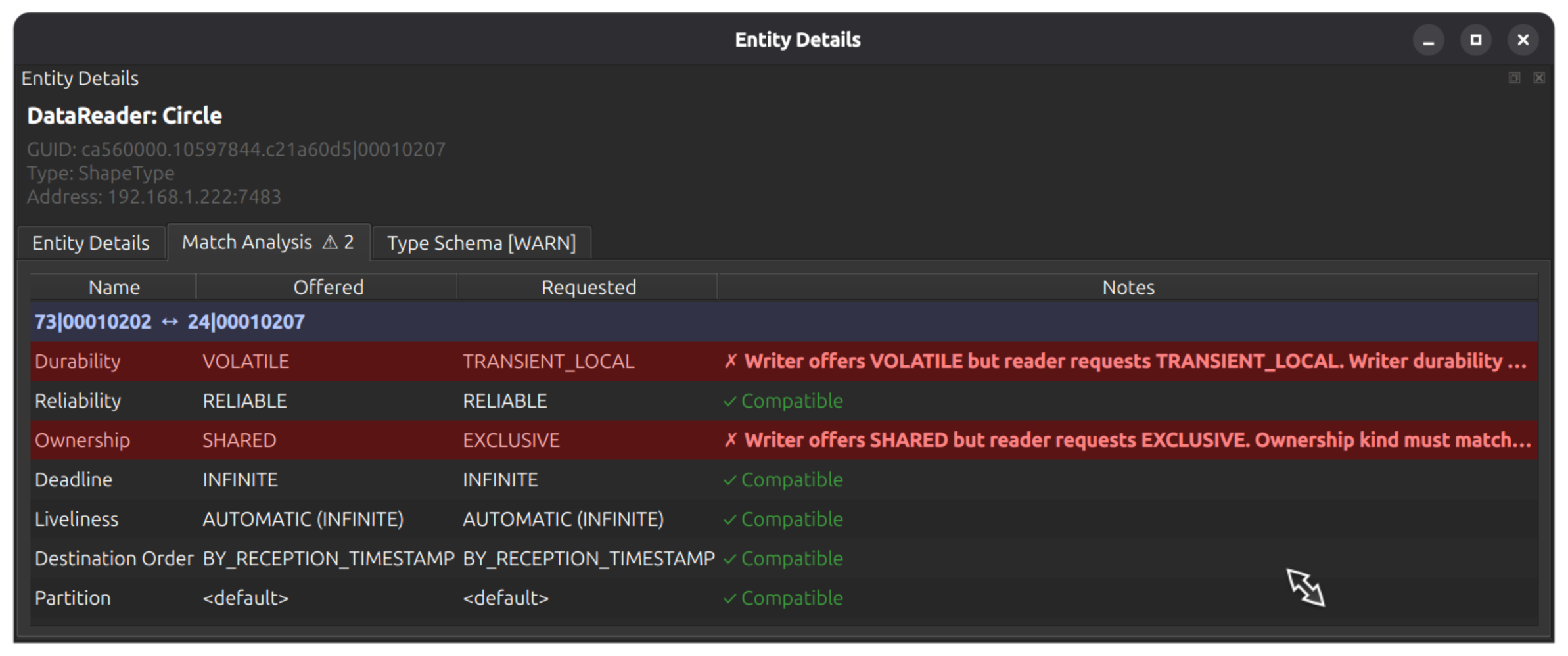
Why this is faster:
- You get actionable policy differences immediately.
- You can copy exact mismatch evidence into issue trackers.
Workflow 3: Watch Live Topic Behavior
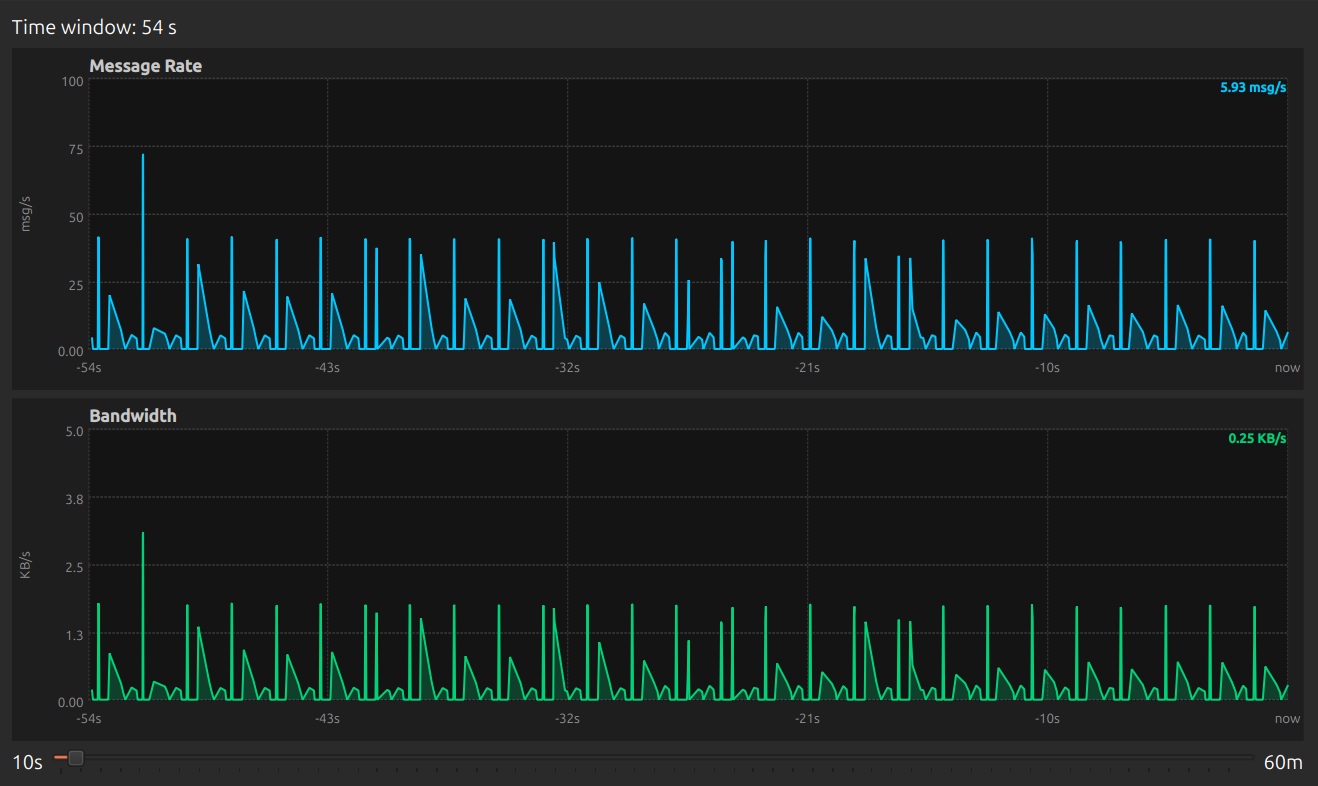
- Open Live View for one or more topics.
- Set time window (for example 10s to 60m).
- Watch message-rate and bandwidth trends.
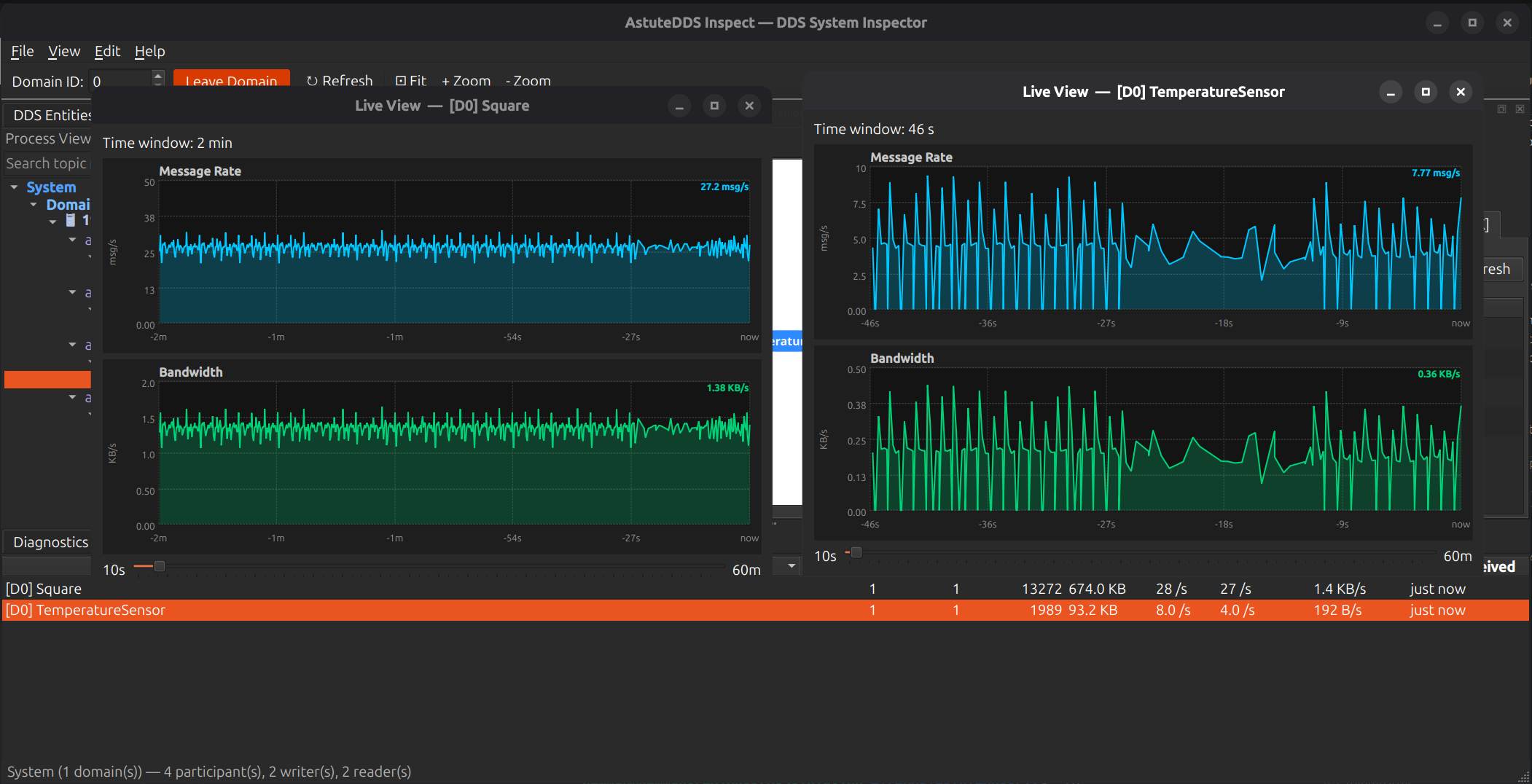
Focused live chart view:
Why this is faster:
- You can compare topic behavior side by side during tuning.
- You detect burstiness and stalls without exporting data first.
Workflow 4: Validate Type and Field-Level Semantics
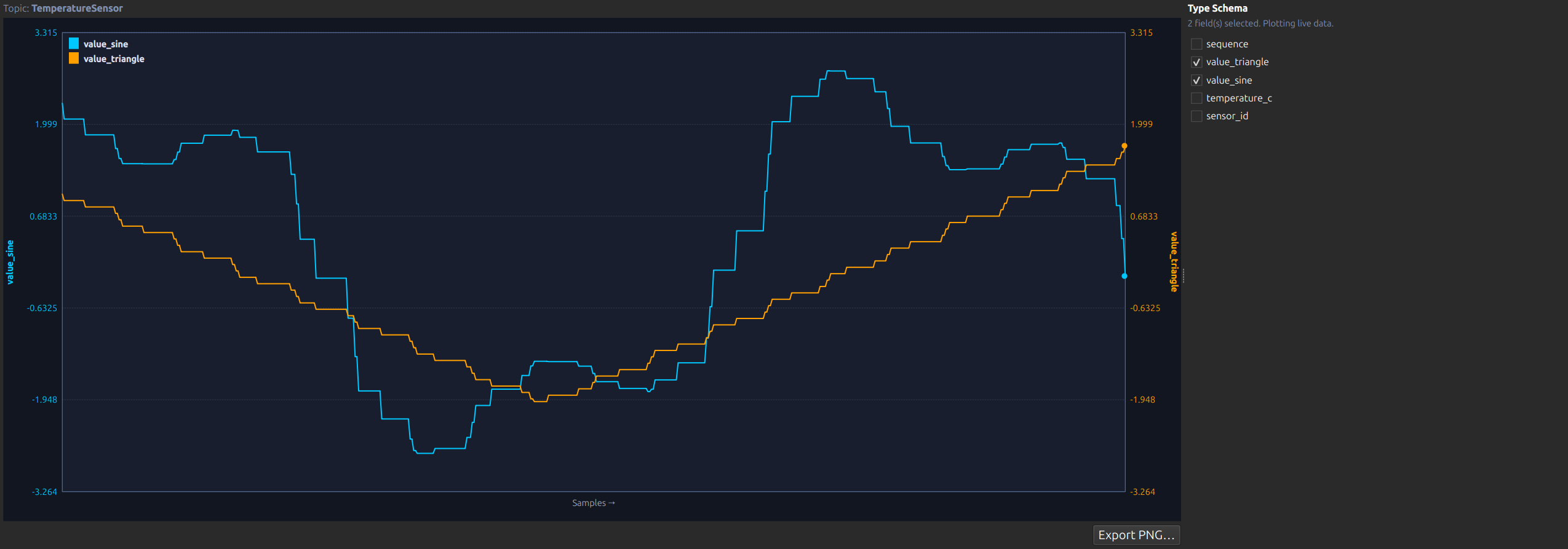
- Select topic/endpoint and open Type Schema.
- Confirm resolved fields and latest values.
- Enable key fields in Graph tab.
- Validate trend behavior against expected application logic.
Why this is faster:
- You verify both transport and payload semantics in one tool.
- You catch wrong-field mapping and stale data sooner.
Workflow 5: Triaging Shapes/Interop Cases
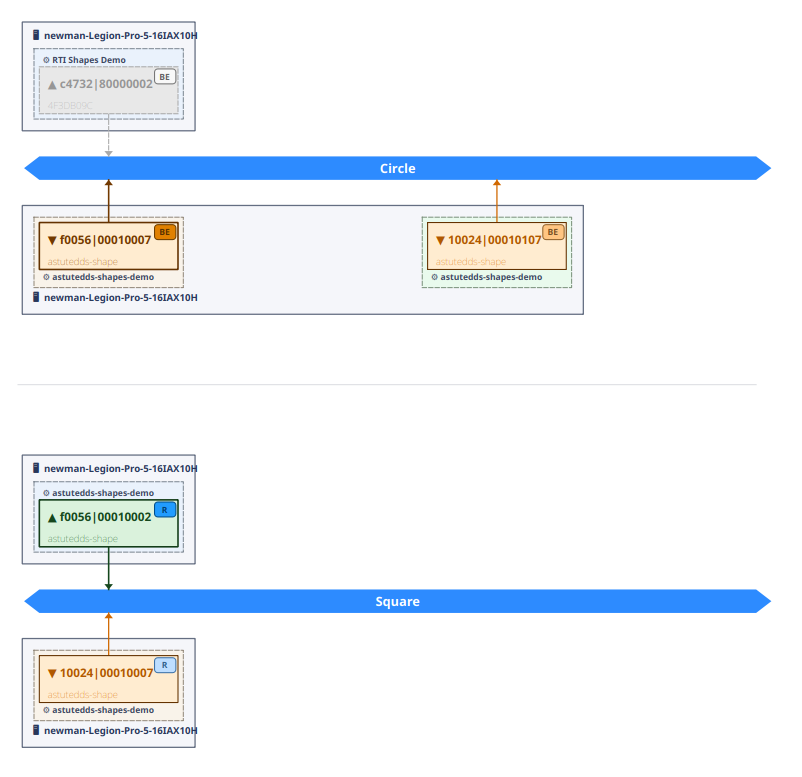
Use process and topic close-ups to isolate mismatches in mixed-vendor or mixed-profile setups.
Why this is faster:
- You localize the failing topic quickly.
- You avoid broad, unfocused debugging across all entities.
Capture and Share Findings
For collaboration and release reviews:
- Use Export PNG from the Graph panel for trend evidence.
- Capture Match Analysis screenshots for policy regression records.
- Pair screenshots with topic names and domain IDs in test reports.
This keeps debugging artifacts reproducible and easy to review across teams.