Getting Started with AstuteDDS
Follow these steps to go from package installation to a running publisher/subscriber in under five minutes.
Quick Start
1. Install Packages for Your Platform
Start with the package installation guide for your OS:
- Required for code onboarding: Developer Package
- Recommended for discovery/visibility checks: Astute Inspect
-
Recommended for visual DDS exploration: Shapes Demo
- Astute Inspect Installation
- Shapes Demo Guide
2. Verify Tooling and Environment
Required for the code onboarding path:
astutedds-idl --helpOptional checks (if installed):
astutedds-inspect -h3. Build Your First Application
Follow First Application to generate code from IDL and build publisher/subscriber executables with CMake.
4. Explore Shapes Demo and Inspect
astutedds-shapes-demo
astutedds-inspect
Use two astutedds-shapes-demo instances to verify local pub/sub quickly, then
use astutedds-inspect to confirm participants and topics are discovered.
Shapes Demo
The Shapes Demo is the fastest way to build an intuition for DDS behavior before writing application code. It gives you a live GUI for publishers, subscribers, topics, and QoS settings so you can immediately see the effect of each change.
Note
You can run two Astute Shapes Demo instances back-to-back to test publish and receive behavior immediately. Both instances can run on the same machine, or on different machines on the same DDS domain/network.
What to Try First
- Switch reliability between
BEST_EFFORTandRELIABLEand watch delivery behavior under load. - Change durability from
VOLATILEtoTRANSIENT_LOCALand then start a late subscriber. - Adjust history depth and compare how much data is retained and delivered.
- Try different publish rates to observe traffic and responsiveness.
Shapes Demo GUI
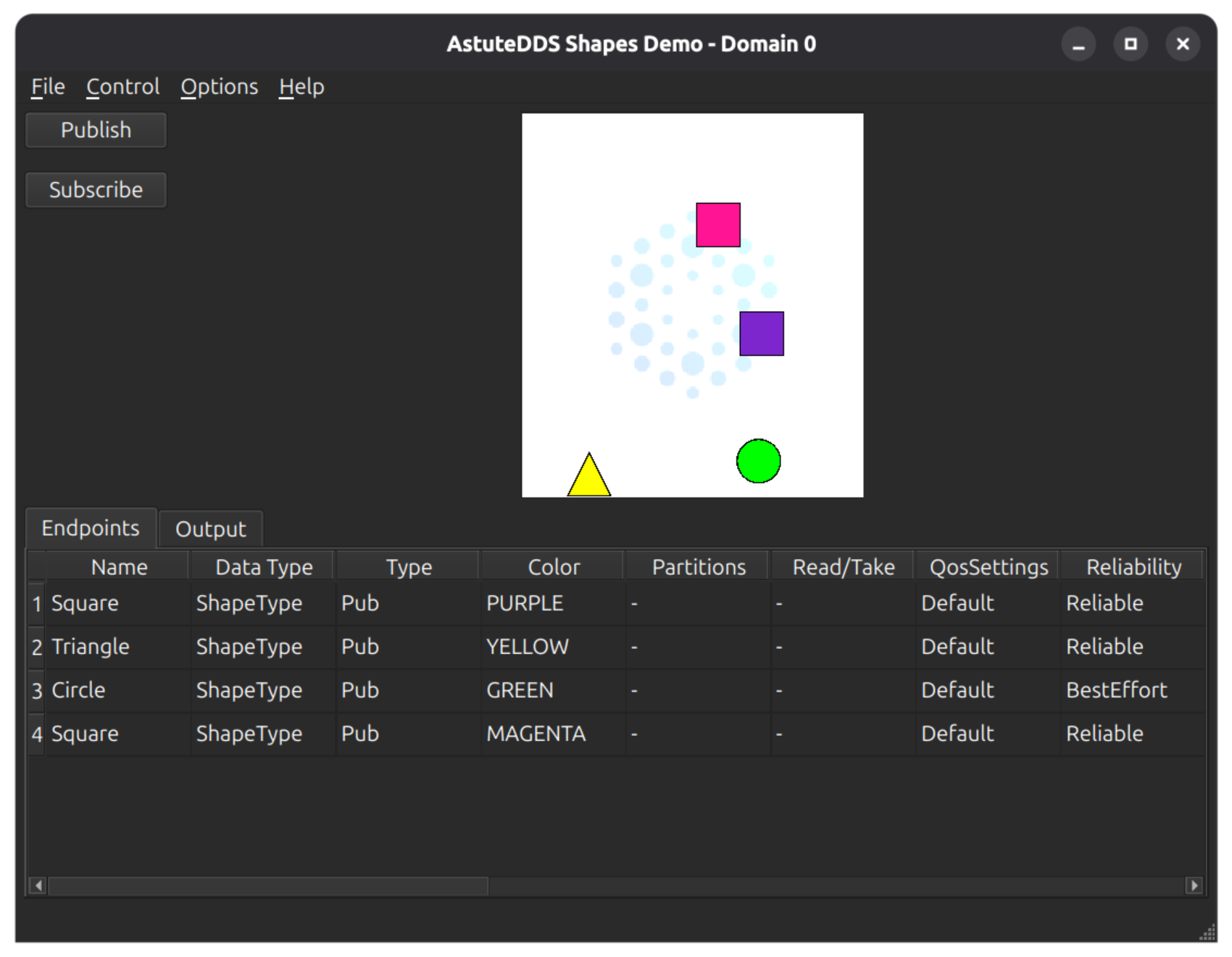
For a full walkthrough, see the Shapes Demo Guide.
What's Next?
- Read the DDS Overview
- Try the Shapes Demo
- Learn about QoS Policies
- Secure your DDS system with DDS Security
- Bridge multiple domains with Domain Router
- Monitor your system with AstuteDDS Inspector
- Generate code with the IDL Compiler