Generic Vehicle Architecture (GVA)
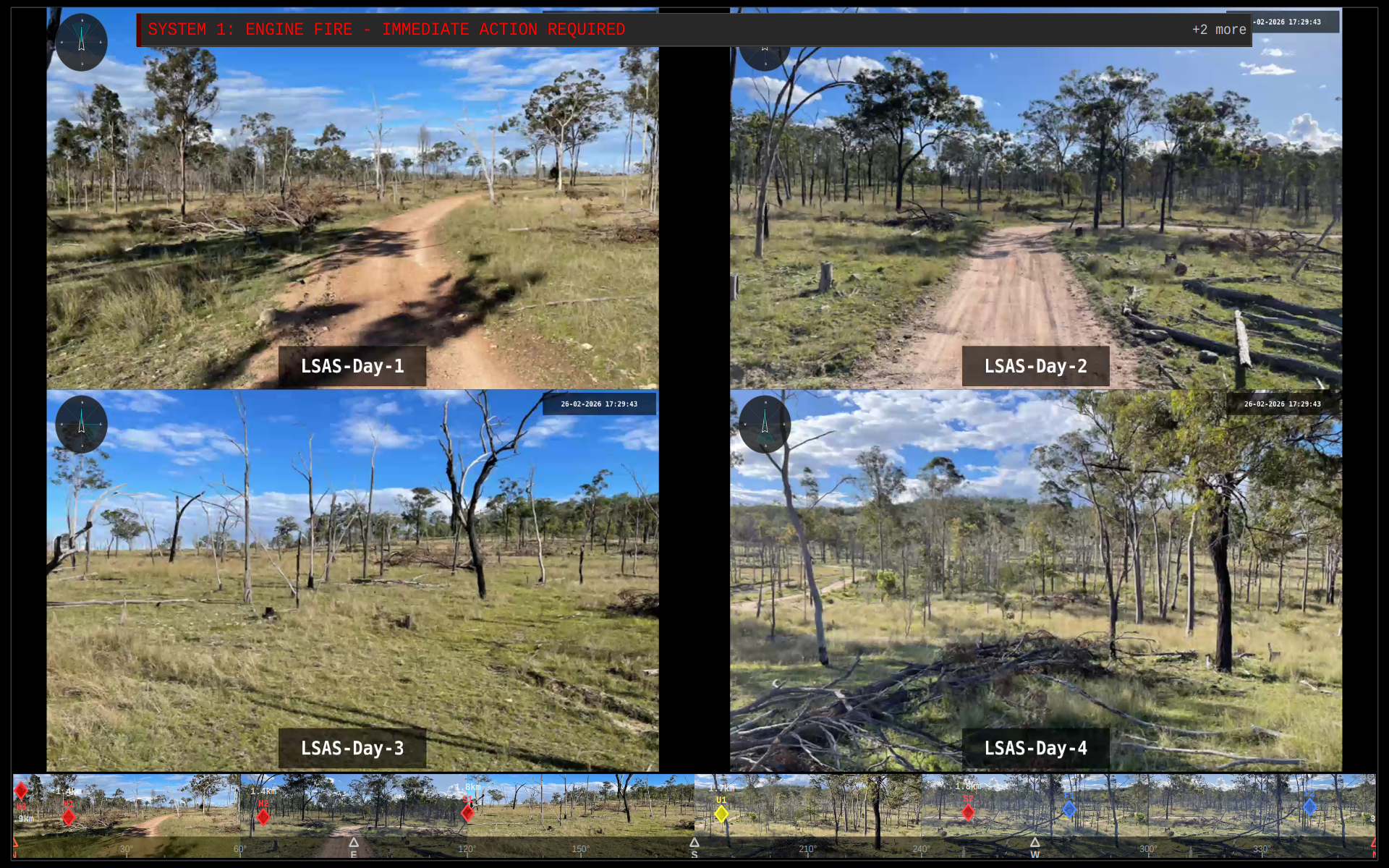
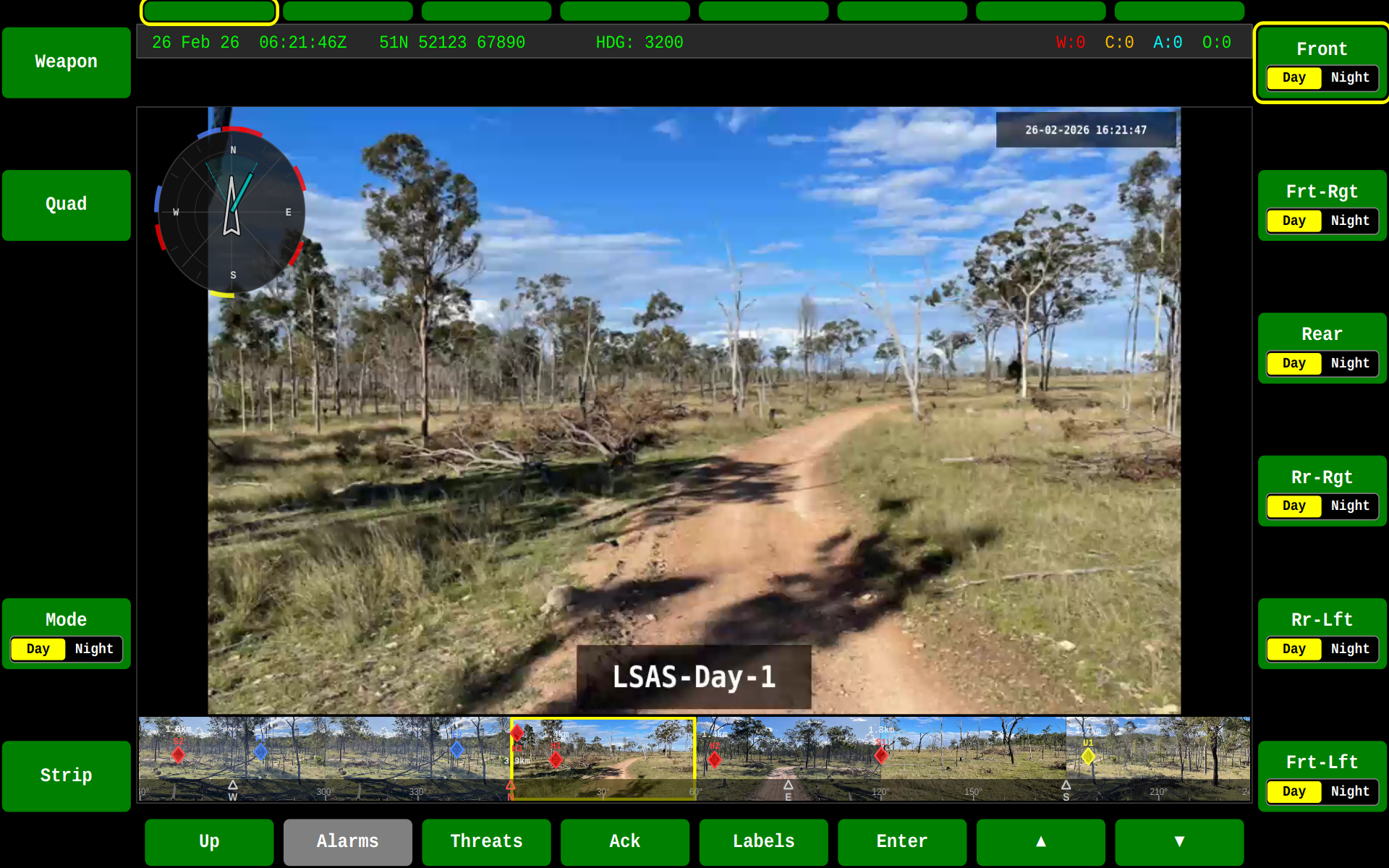
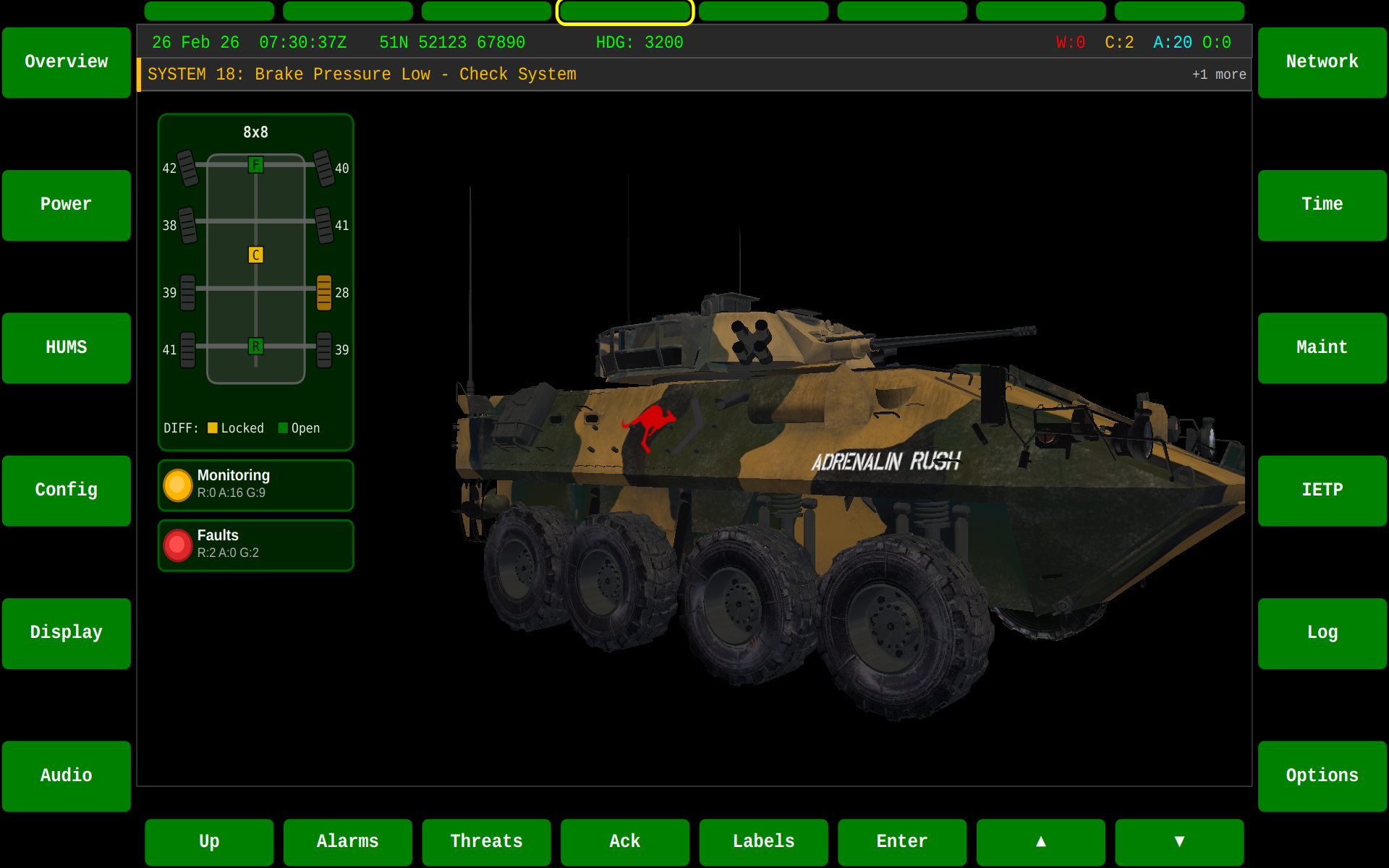
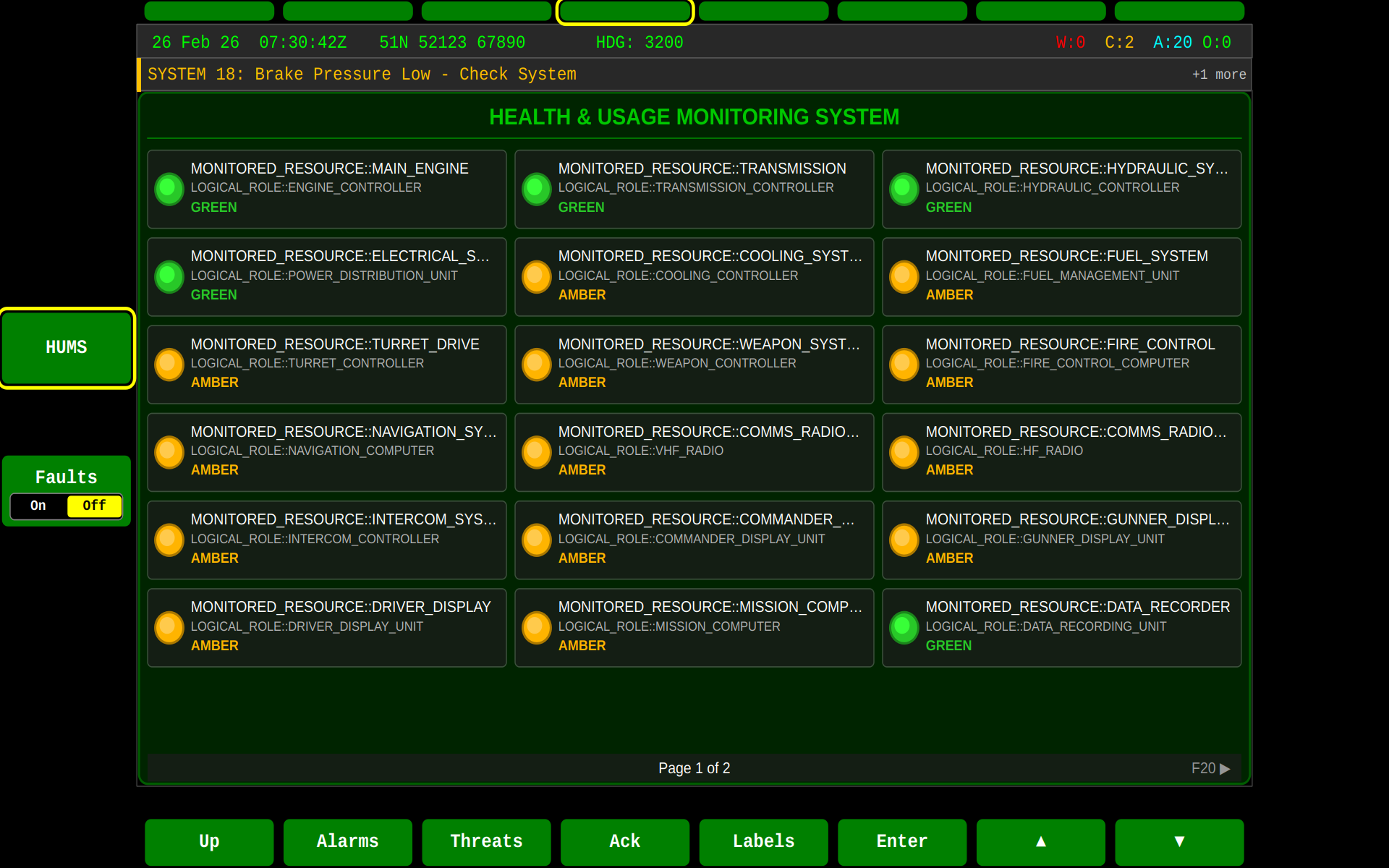
What is GVA?
Generic Vehicle Architecture (GVA) is a UK Ministry of Defence standard that defines how electronic systems inside military land vehicles should work together. Think of it as a common language that allows all the different computers, screens, sensors, and equipment inside a military vehicle to communicate seamlessly.
An Everyday Analogy
Imagine if every appliance in your home used a different type of electrical outlet. Your toaster would need one plug, your kettle another, and your phone charger yet another. You'd need adapters everywhere, and replacing any appliance would be complicated and expensive.
GVA solves this problem for military vehicles. Instead of every piece of equipment speaking its own language and using its own connectors, GVA provides:
- One common data network – like Wi-Fi for your vehicle's systems
- Standardised connectors – equipment plugs in the same way across all vehicles
- Unified screens and controls – crew members see the same familiar interface in any GVA vehicle
Why Does GVA Matter?
🎯 The Problem GVA Solves
Before GVA, military vehicles often had:
| Challenge | Impact |
|---|---|
| Screens everywhere | Each system had its own display, cluttering crew space |
| Incompatible equipment | Upgrading one system meant redesigning others |
| Different controls | Crews needed retraining for every vehicle type |
| Complex wiring | Unique cables for each device increased weight and failure points |
| High costs | Custom integration for every change |
✅ The GVA Solution
GVA creates an "open architecture" – a standardised framework where:
- Equipment from different manufacturers works together – like how any USB device works on any computer
- Upgrades are simpler – swap out old equipment for new without redesigning the whole vehicle
- Crews train once – the same familiar screens and controls across all GVA vehicles
- Costs reduce over time – more suppliers can compete, driving down prices
Key Benefits of GVA
For Vehicle Crews
👤 Familiar Interface Everywhere
- Same screen layouts, menus, and controls across all GVA vehicles
- Reduced training time when moving between vehicle types
- Intuitive operation reduces workload in high-stress situations
For Vehicle Maintenance
🔧 Easier to Maintain and Upgrade
- Health monitoring systems track vehicle condition automatically
- Standardised diagnostics across the fleet
- Faulty equipment can be quickly identified and replaced
For Defence Acquisition
💷 Better Value for Money
- Multiple suppliers can provide compatible equipment
- Reduced integration time and cost for new capabilities
- Longer vehicle service life through easier technology refresh
The Land Data Model (LDM)
What is the Land Data Model?
The Land Data Model is the vocabulary and grammar that GVA systems use to communicate. Just as human languages have dictionaries and rules, the LDM defines:
| Concept | What It Means | Example |
|---|---|---|
| Topics | Categories of information | "Alarms", "Vehicle Position", "Fuel Level" |
| Data Types | How information is structured | Temperature as a number with units |
| Messages | Standard ways to send information | "Warning: Engine overheating" |
Why is This Important?
When a fuel sensor wants to tell the crew display how much fuel is left, both systems must agree on:
- What to call it – "Fuel Level" not "Tank Amount" or "Gas Remaining"
- How to measure it – litres, not gallons or percentages
- When to send it – every second, or only when it changes
The LDM standardises all of this, ensuring that:
- A fuel sensor from Company A can talk to a display from Company B
- New equipment understands existing systems immediately
- All vehicles report data in the same format for fleet management
LDM Versions
The Land Data Model evolves as new capabilities are added:
| Version | Description |
|---|---|
| LDM 9.1.0 | Earlier UK GVA data model |
| LDM 9.2.0 | Incremental improvements |
| LDM 10.0.0 | Current UK GVA standard (Def Stan 23-09 Issue 3) |
| AS LDM 7.2.5 | Australian variant for their vehicle programmes |
How Information Flows in a GVA Vehicle
The Publish-Subscribe Model
GVA uses a communication pattern called publish-subscribe (or "pub-sub"). Here's how it works:
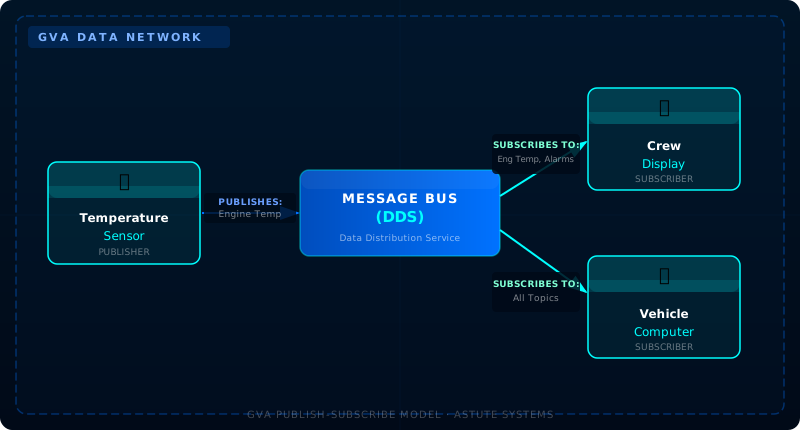
How it works:
Publishers send information to the network without knowing who's listening
- "The engine temperature is 85°C"
Subscribers receive only the information they're interested in
- The display shows temperature to the crew
- The computer logs it for maintenance records
Nobody needs to know about each other
- Add a new display? It just subscribes to the information it needs
- Remove a sensor? The network adapts automatically
This is called DDS (Data Distribution Service) – an industry standard used in many demanding applications including air traffic control and medical devices.
GVA Services in Our Software
Our LDM SDK provides ready-to-use implementations of key GVA services:
🔔 Alarms Service
Manages warnings and alerts across the vehicle platform.
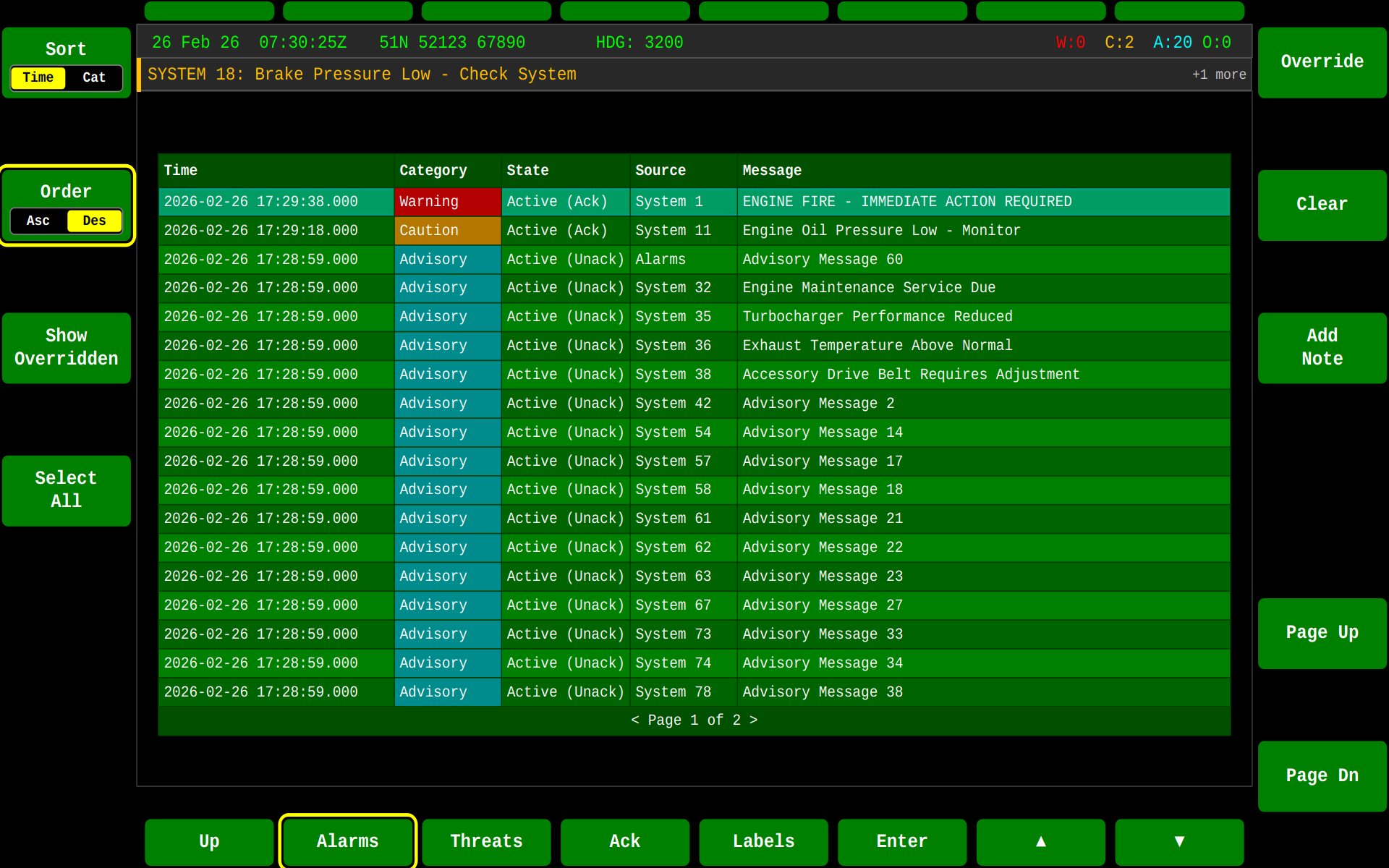
| Category | Priority | Example |
|---|---|---|
| Warning | 🔴 Highest | Loss of safety-critical system |
| Caution | 🟡 Medium | Functionality degraded |
| Advisory | 🟢 Lowest | Informational notification |
The Alarms Service ensures that critical warnings reach crew members consistently, following the GVA specification for how alarms are presented, acknowledged, and cleared.
📋 Registry Service
Keeps track of all devices and systems on the vehicle.
When a new piece of equipment connects to the GVA network, it:
- Requests registration – "Hello, I'm a thermal camera, model XYZ"
- Receives an ID – The registry assigns it a unique identifier
- Becomes visible – Other systems can now find and communicate with it
This is similar to how devices on your home network get IP addresses automatically.
📊 Usage and Condition Monitoring (UACM)
Automatically tracks vehicle health for maintenance purposes.
| What It Tracks | Why It Matters |
|---|---|
| Operating hours | Schedule maintenance at the right time |
| Temperature readings | Detect problems before failures |
| Fault events | Understand what's going wrong |
| Usage patterns | Optimise fleet management |
UACM data helps maintainers know which vehicles need attention before they break down – moving from "fix when broken" to "maintain when needed".
🖥️ Human-Machine Interface (HMI)
The GVA HMI standard ensures consistent crew interfaces:
- Standardised screen layouts – Same areas for status, controls, and information
- Common control patterns – Familiar buttons and navigation
- Role-based access – Commanders, drivers, and operators see appropriate information
Our Software Stack
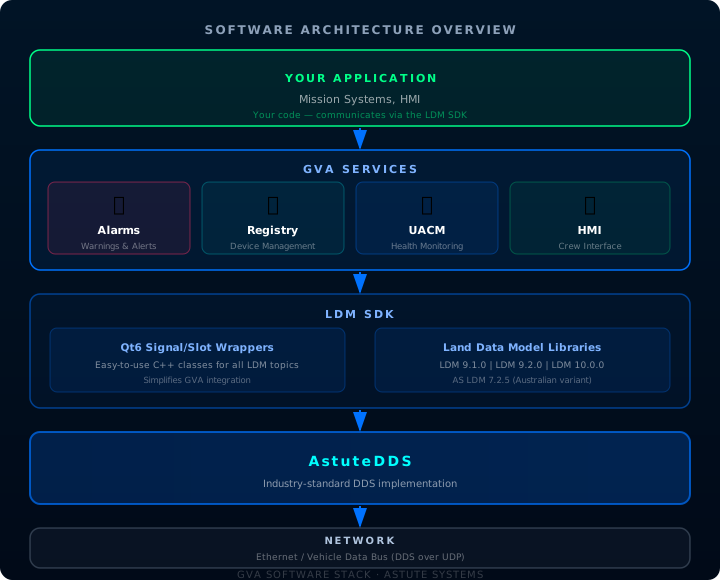
Architecture Overview
Available Applications
| Application | Description | Use Case |
|---|---|---|
| gva-qt6-hmi | GVA Human-Machine Interface | Main crew display application |
| gva-qt6-alarms | Alarms Service | Vehicle-wide alarm management |
| gva-qt6-registry | Registry Service | Device registration and tracking |
| gva-qt6-uacm | UACM Service | Health and usage monitoring |
| gva-qt6-j1939 | CAN Gateway | Bridge to automotice domain |
| gva-qt6-app-bms | BMS System | Our battle management system for LDMv10 |
Development Tools
| Tool | Purpose |
|---|---|
| TOOLX | Monitor and debug video streams and create new ones in real time |
| LDMX | Monitor all LDM messages in real-time, inspect registrations, debug communications |
| Vehicle Simulator | Generate realistic vehicle data for testing without hardware |
Getting Started
For Developers
- Build the SDK – Follow the Quick Start Guide
- Run the examples – See real GVA communication in action
- Explore with LDMX – Monitor live data traffic
For System Integrators
- Understand your LDM version – Match your project requirements
- Define your topics – What information will you publish and subscribe to?
- Integrate with our wrappers – Qt6 signal/slot classes make integration straightforward
For Project Managers
- GVA Compliance – Our SDK helps meet Def Stan 23-09 requirements
- Multi-vendor support – DDS interoperability means flexibility in equipment choices
- Reduced risk – Proven implementations of GVA services