LDMX
Land Data Model Explorer
LDMX is a real-time DDS debugger and diagnostics tool for the GVA Land Data Model. It provides complete visibility into the LDM message bus — making it an essential companion for development, integration testing and field troubleshooting of GVA systems built to DEF STAN 23-009.
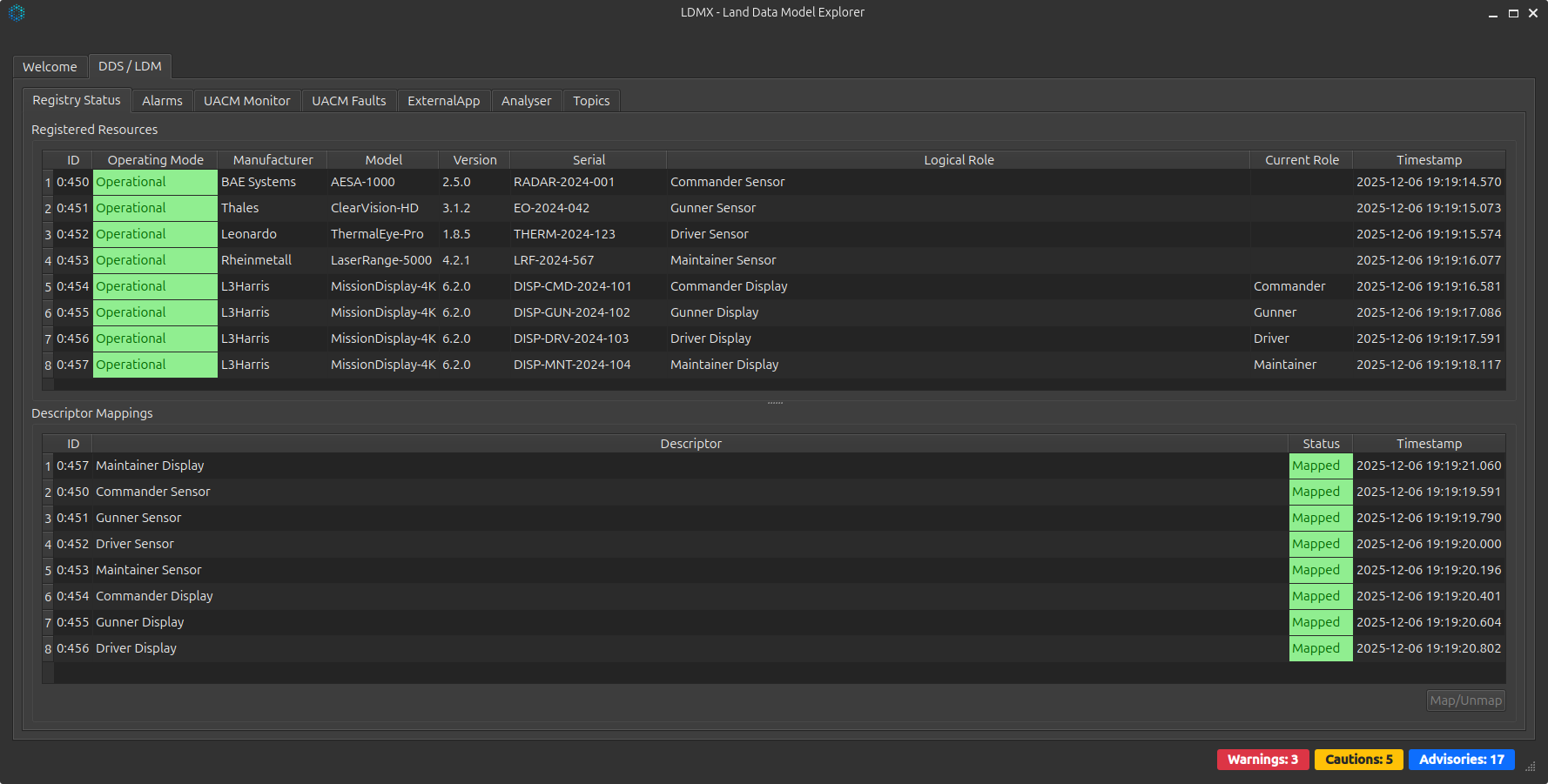
Built on Qt6 and Astute DDS, LDMX subscribes to every LDM topic on the wire, decodes XCDR2 payloads against the full LDM v10 type system (42 IDL files) and presents them in dedicated tabs for registration, alarms, UACM health and free-form message inspection.
Key Capabilities
Real-time DDS Monitoring
Subscribes to every LDM DDS topic as it is published. Live message counts, last-seen timestamps and topic filtering across one or many DDS domains.
Deep Message Inspection
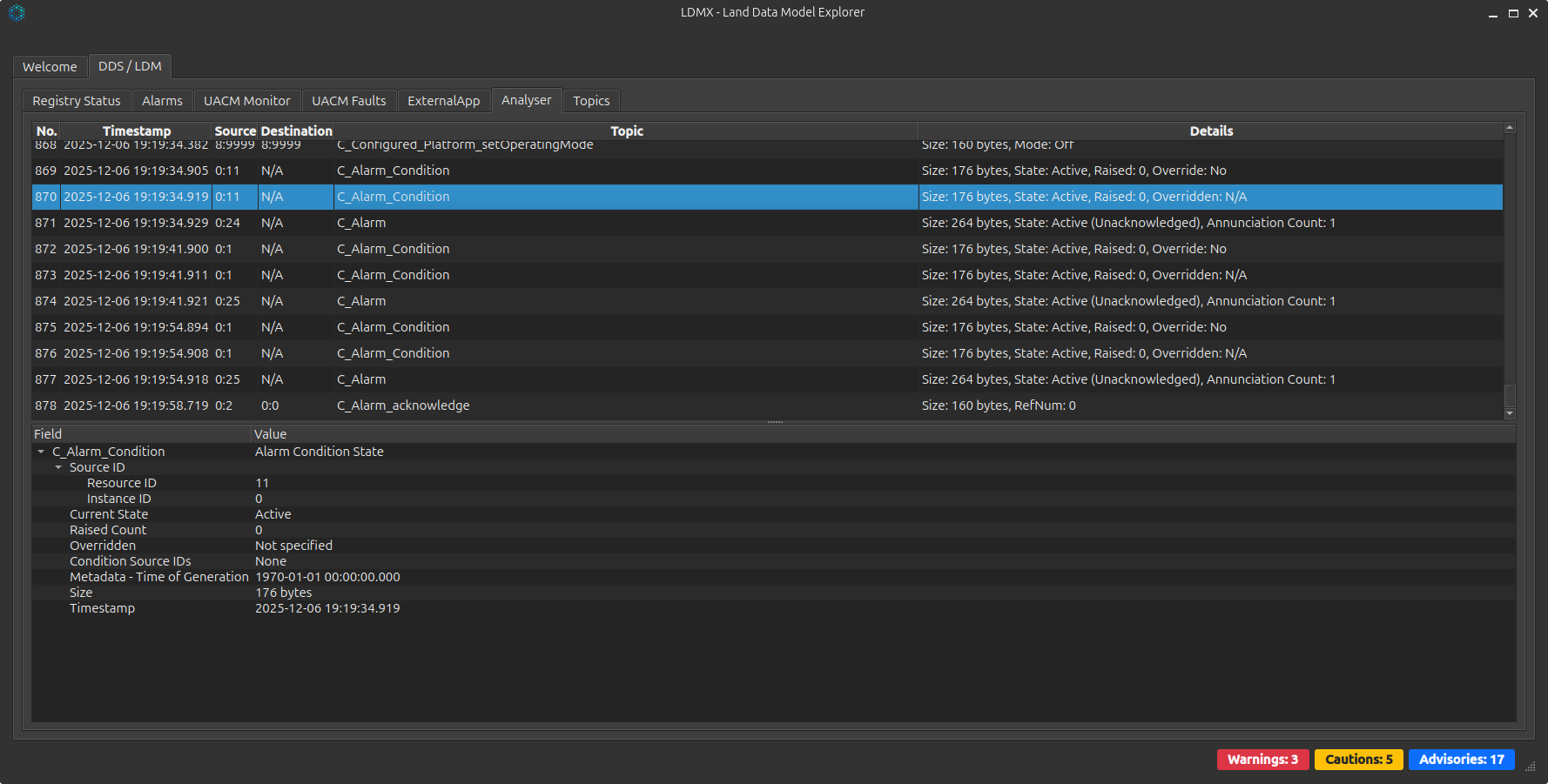
Hierarchical tree view of every captured message with nested complex types fully expanded. Drill into field names and values to debug serialisation and content issues.
Tabs at a Glance
| Tab | Purpose |
|---|---|
| Registry Status | Live view of resources registered via the GVA Registration Service, with descriptor mappings and map/unmap actions for testing |
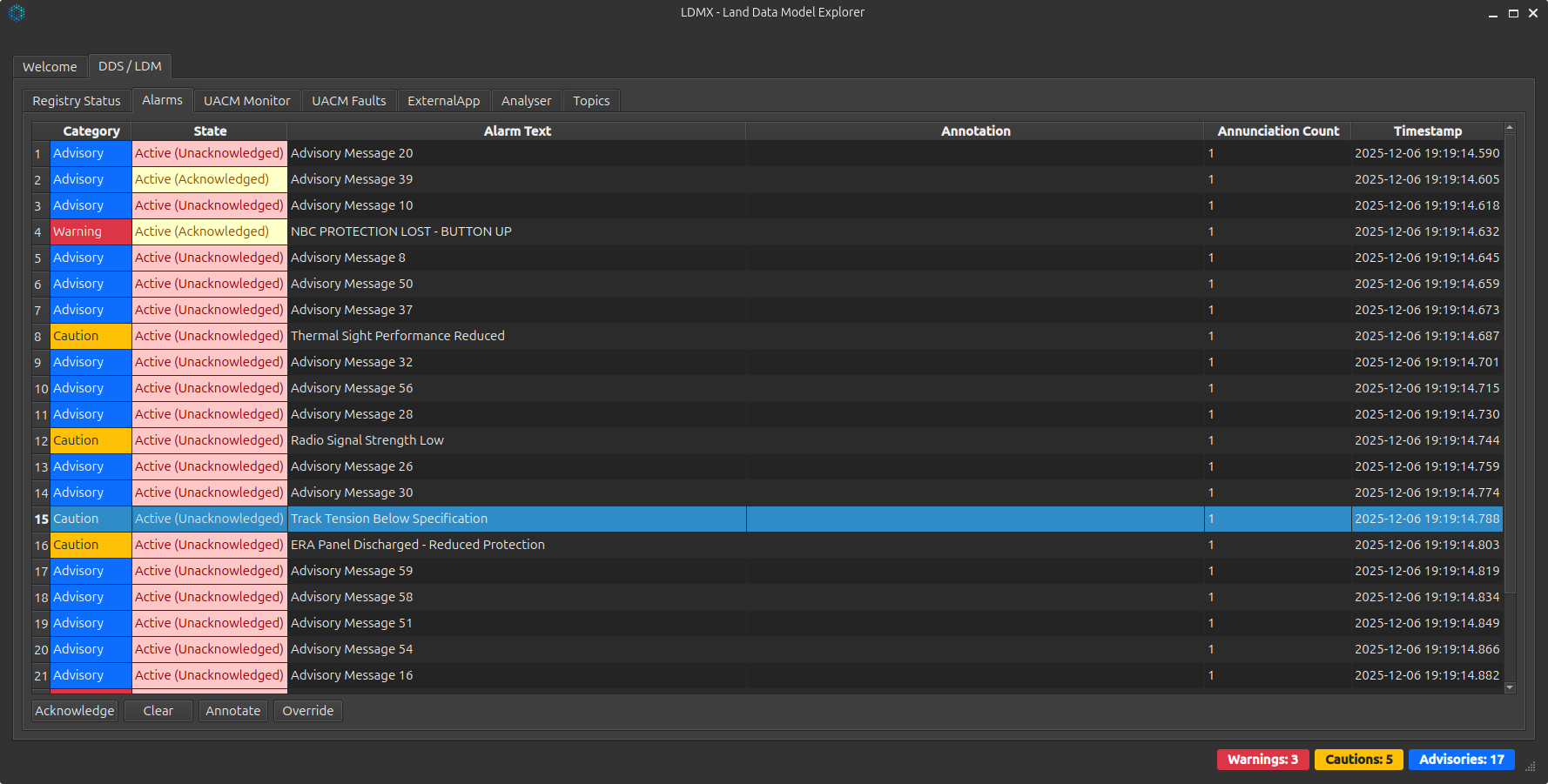
| Alarms | All active alarms with category, state, source and timestamp. Acknowledge, clear, annotate and override directly from LDMX |
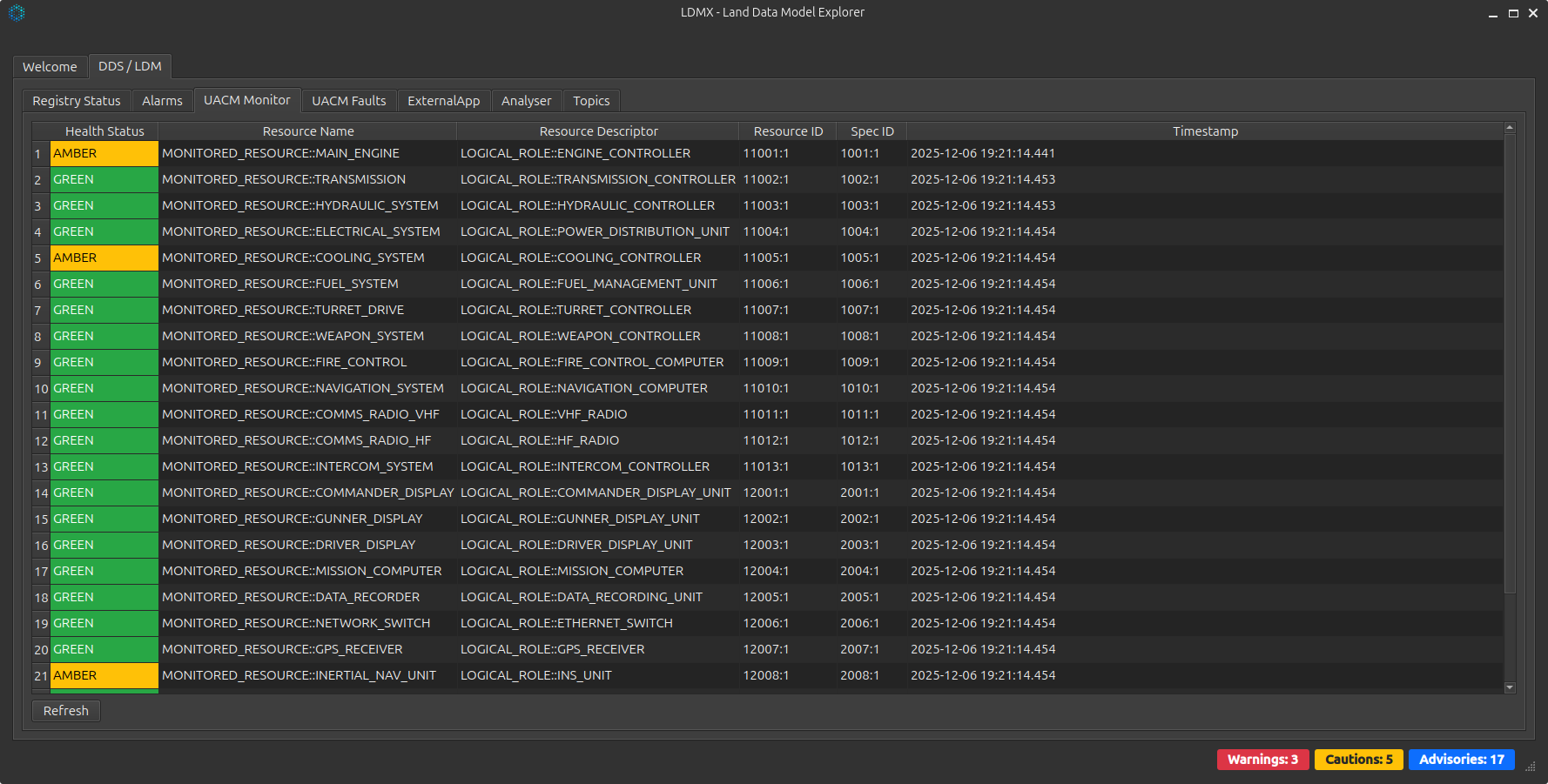
| UACM Monitor | RAG health status (🟢 / 🟡 / 🔴) for every monitored resource from the Usage & Condition Monitoring service |
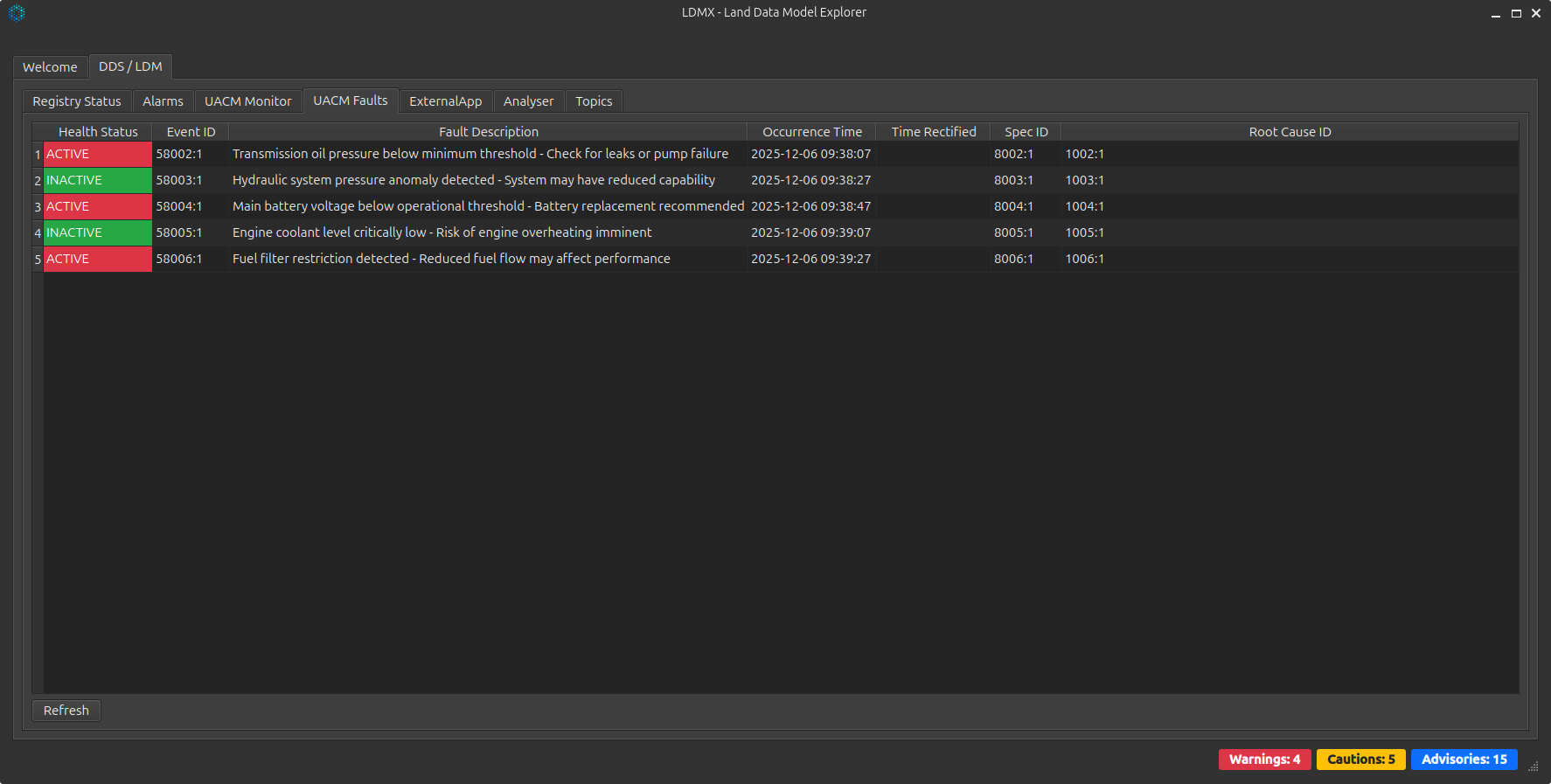
| UACM Faults | Detailed fault event history — source, state, occurrence time, time rectified and root-cause linkage |
| Analyser | Captures all DDS traffic with a scrolling message list and an expandable tree view of each payload |
| Topics | Per-topic statistics: message count, last received timestamp and reset counters for fresh measurement |
Where LDMX Fits
Development & Debugging
- Verify your application publishes the correct DDS messages
- Inspect message content to debug XCDR serialisation
- Monitor the full registration flow at application start-up
- Validate descriptor mappings before going live
Integration Testing
- Confirm end-to-end message flow between subsystems
- Verify alarm propagation and HMI handling
- Validate UACM health reporting across the bus
- Capture and log traffic for offline analysis
Standards & Interoperability
| Area | Support |
|---|---|
| GVA Standard | DEF STAN 23-009 (UK Generic Vehicle Architecture) |
| Data Model | GVA Land Data Model v10 — full 42-file IDL set |
| DDS Middleware | Astute DDS (recommended) — also runs against RTI Connext, Eclipse Cyclone DDS and eProsima Fast DDS |
| Wire Protocol | DDSI-RTPS 2.5, XCDR1 / XCDR2 |
| Platforms | Ubuntu 22.04 / 24.04 LTS (x86_64, ARM64) |
| UI Toolkit | Qt6 — light and dark themes |
Quick Start
Launch LDMX directly from the build tree:
cd build/bin
./ldmx              # default DDS domain 0
./ldmx --domain=1   # alternate domain for multi-system testing
LDMX picks up configuration from any of ./ldmx-config.json, ~/.config/ldmx/config.json or /etc/ldmx/config.json — letting you ship the same binary across development, integration and deployed environments.
Availability
LDMX ships as part of the GVA Land Data Model product line and is available to licensed customers. The full reference, debugging workflows and tab-by-tab walkthrough are in the documentation.