J1939 Vehicle Simulator
Vehicle Simulator with J1939 CAN Support
Overview
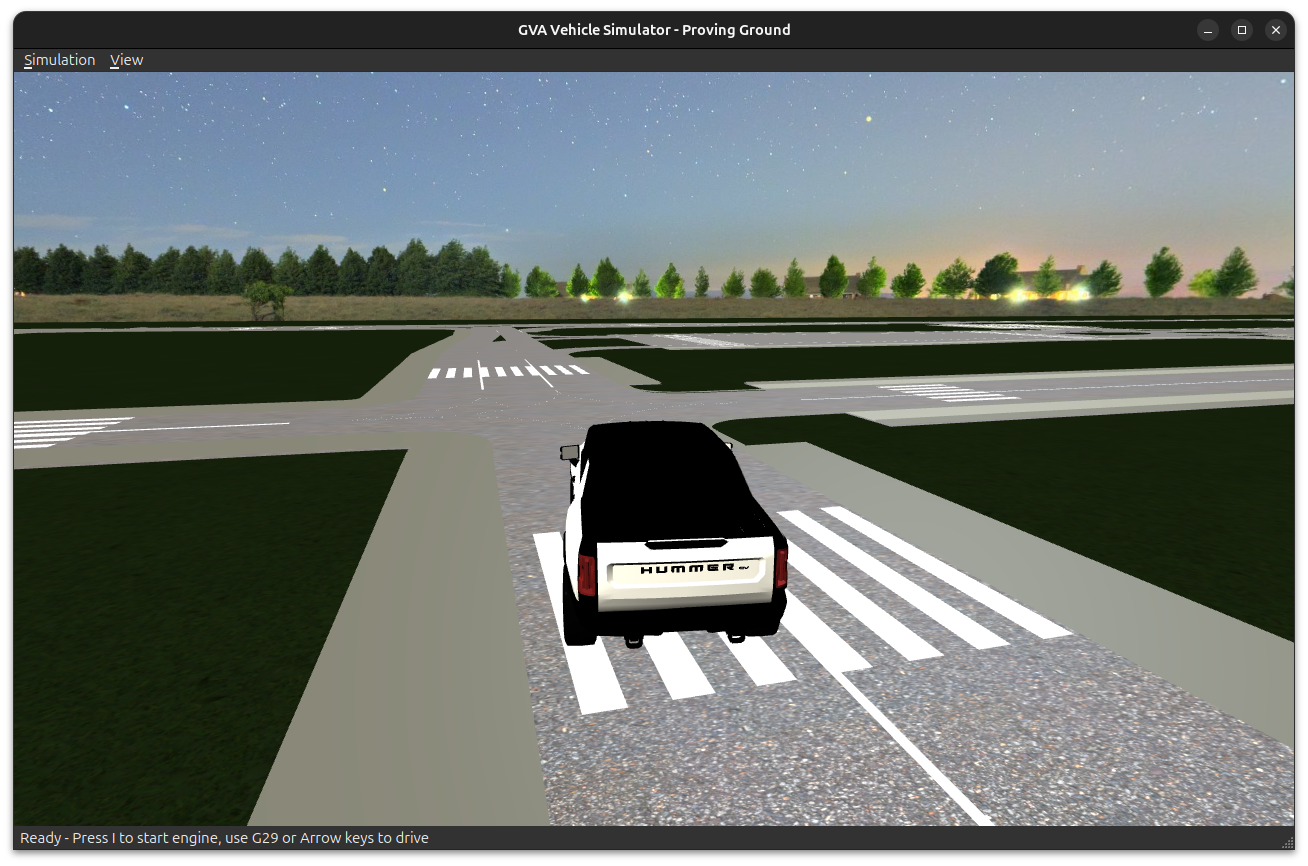
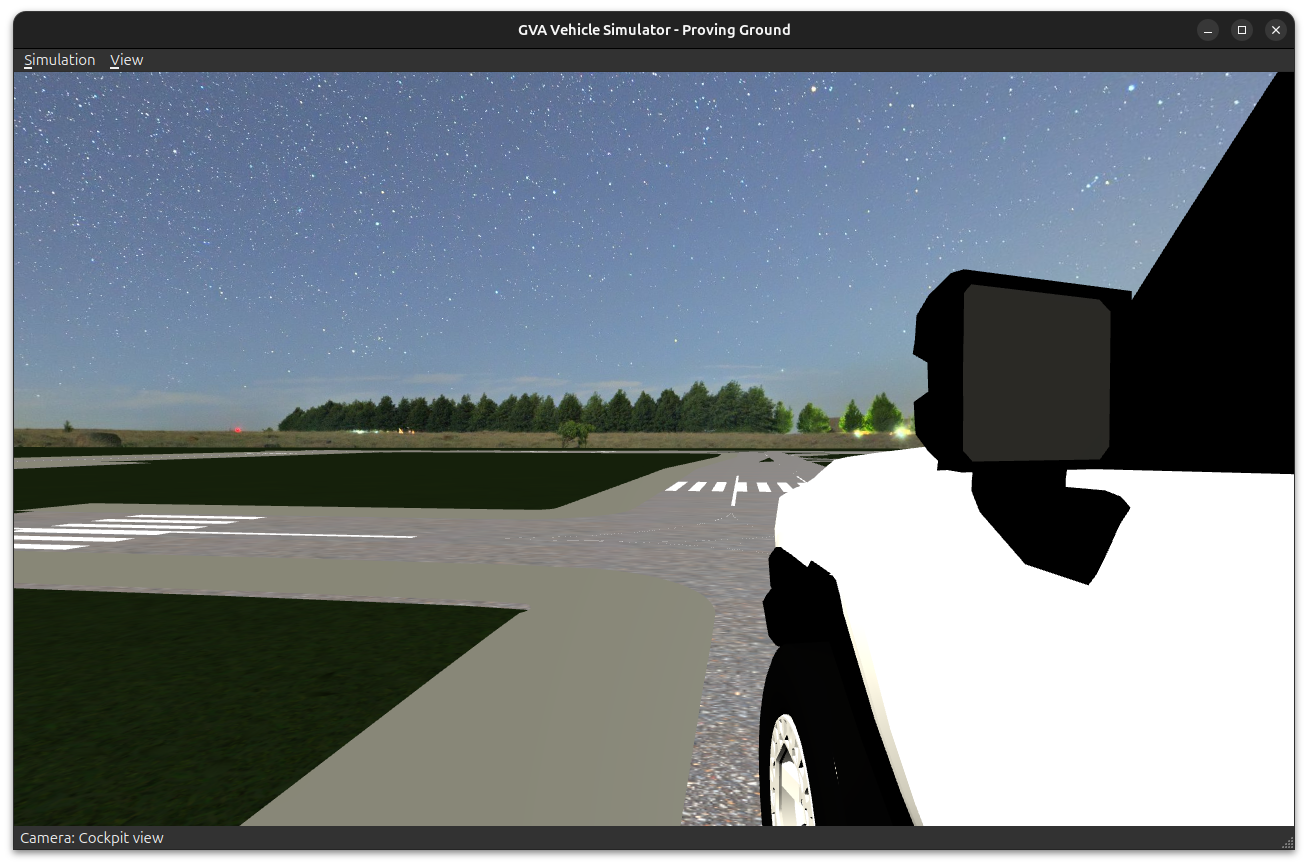
The Vehicle Simulator (gva-vehicle-sim) is a comprehensive testing and development tool for the GVA (Generic Vehicle Architecture) platform. It provides realistic vehicle dynamics simulation with integrated J1939 CAN bus message generation, enabling hardware-in-the-loop testing without requiring physical vehicle hardware.
Benefits of J1939 Simulation for Message Generation
🎯 Development & Testing Advantages
Hardware-Independent Development
- Develop and test GVA applications without physical CAN hardware
- No need for expensive vehicle ECUs or test benches
- Parallel development across multiple teams
Realistic Vehicle Behavior
- Generates authentic J1939 Parameter Group Numbers (PGNs) and Suspect Parameter Numbers (SPNs)
- Simulates realistic vehicle dynamics (speed, RPM, gear changes, braking)
- Provides time-synchronized sensor data
Cost Reduction
- Eliminates need for physical test vehicles in early development
- Virtual CAN interface (
vcan0) enables testing on any Linux workstation - Reduces wear and tear on physical hardware
Rapid Prototyping
- Instant feedback loop for algorithm development
- Easy scenario creation and replay
- Configurable message rates and data patterns
Integration Testing
- Validate J1939 gateway functionality
- Test data flow from CAN to DDS topics
- Verify HMI responsiveness to vehicle parameters
Reproducible Testing
- Deterministic vehicle behavior
- Repeatable test scenarios
- Consistent baseline for regression testing
📊 J1939 Message Support
✅ Fully Supported PGNs (Implemented in Vehicle Simulator)
The vehicle simulator actively generates the following J1939 messages over CAN and publishes them to DDS via the gateway:
| PGN | Hex | Name | Rate | SPNs | Description |
|---|---|---|---|---|---|
| 61443 | 0xF003 | EEC2 - Electronic Engine Controller 2 | 50ms | 91, 92 | Accelerator pedal position, engine percent load |
| 61444 | 0xF004 | EEC1 - Electronic Engine Controller 1 | 100ms | 190, 512, 513 | Engine speed (RPM), driver demand torque, actual engine torque |
| 61445 | 0xF005 | ETC2 - Electronic Transmission Controller 2 | 100ms | 522, 523, 524 | Clutch position, selected gear, current gear |
| 61449 | 0xF009 | VDC2 - Vehicle Dynamic Control 2 | 100ms | 1807, 1808 | Steering wheel angle, yaw rate |
| 65253 | 0xFEE5 | HOURS - Engine Hours | 1s | 247 | Total engine operating hours |
| 65256 | 0xFEE8 | VDS - Vehicle Direction/Speed | 250ms | 517, 519, 586 | Speed over ground, compass heading, course |
| 65258 | 0xFEEA | ALT - Altitude | 1s | 580 | GPS altitude above sea level |
| 65262 | 0xFEEE | ET1 - Engine Temperature 1 | 1s | 110, 174, 175 | Engine coolant temp, fuel temp, oil temp |
| 65263 | 0xFEEF | EFLP - Engine Fluid Level/Pressure | 500ms | 96, 100, 94 | Fuel level, oil pressure, fuel delivery pressure |
| 65265 | 0xFEF1 | CCVS - Cruise Control/Vehicle Speed | 100ms | 84, 597, 598 | Wheel-based vehicle speed, brake switch, clutch switch |
| 65267 | 0xFEF3 | VP - Vehicle Position | 250ms | 584, 585 | GPS latitude, longitude |
| 65269 | 0xFEF5 | AMB - Ambient Conditions | 1s | 108, 171 | Barometric pressure, ambient air temperature |
| 65271 | 0xFEF7 | VEP1 - Vehicle Electrical Power 1 | 1s | 167, 168, 158 | Battery voltage, alternator voltage, charging system voltage |
| 65276 | 0xFEFC | DD - Dash Display | 1s | 182, 183 | Fuel rate (L/h), instantaneous fuel economy |
| 0xEF00 | 0xEF00 | PROP_A - Proprietary A (IONNIC USM) | 250ms | - | LED control for IONNIC USM ES-Key panel |
Detailed SPN List (All Supported Parameters)
| SPN | Parameter Name | PGN | Unit | Resolution | Offset | Range |
|---|---|---|---|---|---|---|
| 84 | Wheel-Based Vehicle Speed | 65265 | km/h | 1/256 km/h | 0 | 0-250 km/h |
| 91 | Accelerator Pedal Position | 61443 | % | 0.4% | 0 | 0-100% |
| 92 | Engine Percent Load at Current Speed | 61443/61444 | % | 1% | 0 | 0-100% |
| 94 | Fuel Delivery Pressure | 65263 | kPa | 4 kPa | 0 | 0-1000 kPa |
| 96 | Fuel Level | 65263 | % | 0.4% | 0 | 0-100% |
| 100 | Engine Oil Pressure | 65263 | kPa | 4 kPa | 0 | 0-1000 kPa |
| 108 | Barometric Pressure | 65269 | kPa | 0.5 kPa | 0 | 0-125 kPa |
| 110 | Engine Coolant Temperature | 65262 | °C | 1°C | -40 | -40 to +210°C |
| 158 | Charging System Voltage | 65271 | V | 0.05 V | 0 | 0-3212 V |
| 167 | Alternator Voltage | 65271 | V | 0.05 V | 0 | 0-3212 V |
| 168 | Battery Voltage | 65271 | V | 0.05 V | 0 | 0-3212 V |
| 171 | Ambient Air Temperature | 65269 | °C | 0.03125°C | -273 | -273 to +1735°C |
| 174 | Fuel Temperature | 65262 | °C | 1°C | -40 | -40 to +210°C |
| 175 | Engine Oil Temperature | 65262 | °C | 0.03125°C | -273 | -273 to +1735°C |
| 182 | Fuel Rate | 65276 | L/h | 0.05 L/h | 0 | 0-3212 L/h |
| 183 | Instantaneous Fuel Economy | 65276 | km/L | 1/512 km/L | 0 | 0-125 km/L |
| 190 | Engine Speed | 61444 | RPM | 0.125 RPM | 0 | 0-8031 RPM |
| 247 | Total Engine Hours | 65253 | h | 0.05 h | 0 | 0-210,554,060 h |
| 512 | Driver's Demand Engine Torque | 61444 | % | 1% | -125 | -125% to +125% |
| 513 | Actual Engine Torque | 61444 | % | 1% | -125 | -125% to +125% |
| 517 | Speed Over Ground | 65256 | km/h | 1/256 km/h | 0 | 0-250 km/h |
| 519 | Course Over Ground | 65256 | deg | 1/128 deg | 0 | 0-360° |
| 522 | Clutch Pedal Position | 61445 | % | 0.4% | 0 | 0-100% |
| 523 | Transmission Current Gear | 61445 | gear | 1 | -125 | -125 to +125 |
| 524 | Transmission Selected Gear | 61445 | gear | 1 | -125 | -125 to +125 |
| 580 | Altitude | 65258 | m | 0.125 m | -2500 | -2500 to +5531 m |
| 584 | Latitude | 65267 | deg | 10⁻⁷ deg | -210 | -90° to +90° |
| 585 | Longitude | 65267 | deg | 10⁻⁷ deg | -210 | -180° to +180° |
| 586 | Compass Bearing | 65256 | deg | 1/128 deg | 0 | 0-360° |
| 597 | Brake Switch | 65265 | - | 2 bits | - | Off/On/Error/Not Available |
| 598 | Clutch Switch | 65265 | - | 2 bits | - | Off/On/Error/Not Available |
| 899 | Engine Torque Mode | 61444 | - | 1 | 0 | 0-15 (enumeration) |
| 1807 | Steering Wheel Angle | 61449 | rad | 1/1024 rad | -31.374 | -31.374 to +31.374 rad |
| 1808 | Yaw Rate | 61449 | rad/s | 1/8192 rad/s | -3.92 | -3.92 to +3.92 rad/s |
Total: 15 PGNs, 33 SPNs actively simulated
🔲 Unsupported PGNs (Not Yet Implemented)
The following J1939 messages are not currently generated by the vehicle simulator. These represent potential future enhancements:
| PGN | Hex | Name | Priority | Use Case | Complexity |
|---|---|---|---|---|---|
| 61440 | 0xF000 | ERC1 - Electronic Retarder Controller 1 | Low | Retarder/engine brake control | Medium |
| 61441 | 0xF001 | EBC1 - Electronic Brake Controller 1 | High | ABS, brake system status | High |
| 61442 | 0xF002 | ETC1 - Electronic Transmission Controller 1 | Medium | Transmission mode, shift in progress | Medium |
| 64971 | 0xFDCB | VDHR - Vehicle Distance (High Resolution) | High | Odometer with 5mm resolution | Low |
| 64972 | 0xFDCC | TCO1 - Tachograph | Medium | Driver card, speed from tachograph | Low |
| 65132 | 0xFE6C | TPMS - Tire Pressure Monitoring | Medium | Individual tire pressure/temperature | Medium |
| 65217 | 0xFEC1 | PTODE - PTO Drive Engagement | Low | Power take-off status | Low |
| 65248 | 0xFEE0 | VDIST - High Resolution Vehicle Distance | High | Total distance with 5m resolution | Low |
| 65251 | 0xFEE3 | ECFG - Engine Configuration | Low | Engine make, model, serial number | Low |
| 65252 | 0xFEE4 | SHUTDN - Shutdown | Low | Engine shutdown override | Low |
| 65260 | 0xFEEC | VI - Vehicle Identification | Medium | Full VIN transmission (partial impl) | Low |
| 65279 | 0xFEFF | CCVS1 - Cruise Control/Vehicle Speed 1 | Medium | Enhanced cruise control data | Low |
| 65098 | 0xFE4A | EBC2 - Electronic Brake Controller 2 | High | Individual wheel brake status | High |
| 65099 | 0xFE4B | EBC3 - Electronic Brake Controller 3 | Medium | Brake lining wear | Medium |
| 65110 | 0xFE56 | IC1 - Inlet/Exhaust Conditions 1 | Low | Intake manifold pressure/temp | Medium |
| 65172 | 0xFE84 | RQST - Request | Low | Request specific PGN from ECU | Medium |
| 65226 | 0xFECA | AT1I - Aftertreatment 1 Intake Gas | Low | Diesel particulate filter inlet | Low |
| 65227 | 0xFECB | AT1O - Aftertreatment 1 Outlet Gas | Low | DPF outlet, NOx sensor | Low |
| 65247 | 0xFEDF | EFL/P2 - Engine Fluid Level/Pressure 2 | Low | Additional fluid pressures | Low |
| 65266 | 0xFEF2 | LFE - Fuel Economy | Medium | Average/trip fuel economy | Low |
| 65270 | 0xFEF6 | TD - Turbocharger | Low | Boost pressure, turbine speed | Medium |
| 65272 | 0xFEF8 | VEP2 - Vehicle Electrical Power 2 | Low | Additional electrical buses | Low |
Why These Are Not Implemented
| Reason | Affected PGNs | Count |
|---|---|---|
| Not relevant to basic vehicle sim | ERC1, PTODE, SHUTDN, ECFG, AT1I, AT1O, TD | 7 |
| Requires tire physics model | TPMS | 1 |
| Requires ABS/brake model | EBC1, EBC2, EBC3 | 3 |
| Requires advanced transmission | ETC1 | 1 |
| Low priority / cosmetic | VI (VIN), VDHR, VDIST, TCO1, LFE | 5 |
| Requires exhaust/emissions model | IC1, AT1I, AT1O | 3 |
| Protocol-level (not vehicle data) | RQST | 1 |
| Duplicate/enhanced versions | CCVS1, EFL/P2, VEP2 | 3 |
Total: 22 unsupported PGNs
🛠️ Technical Features
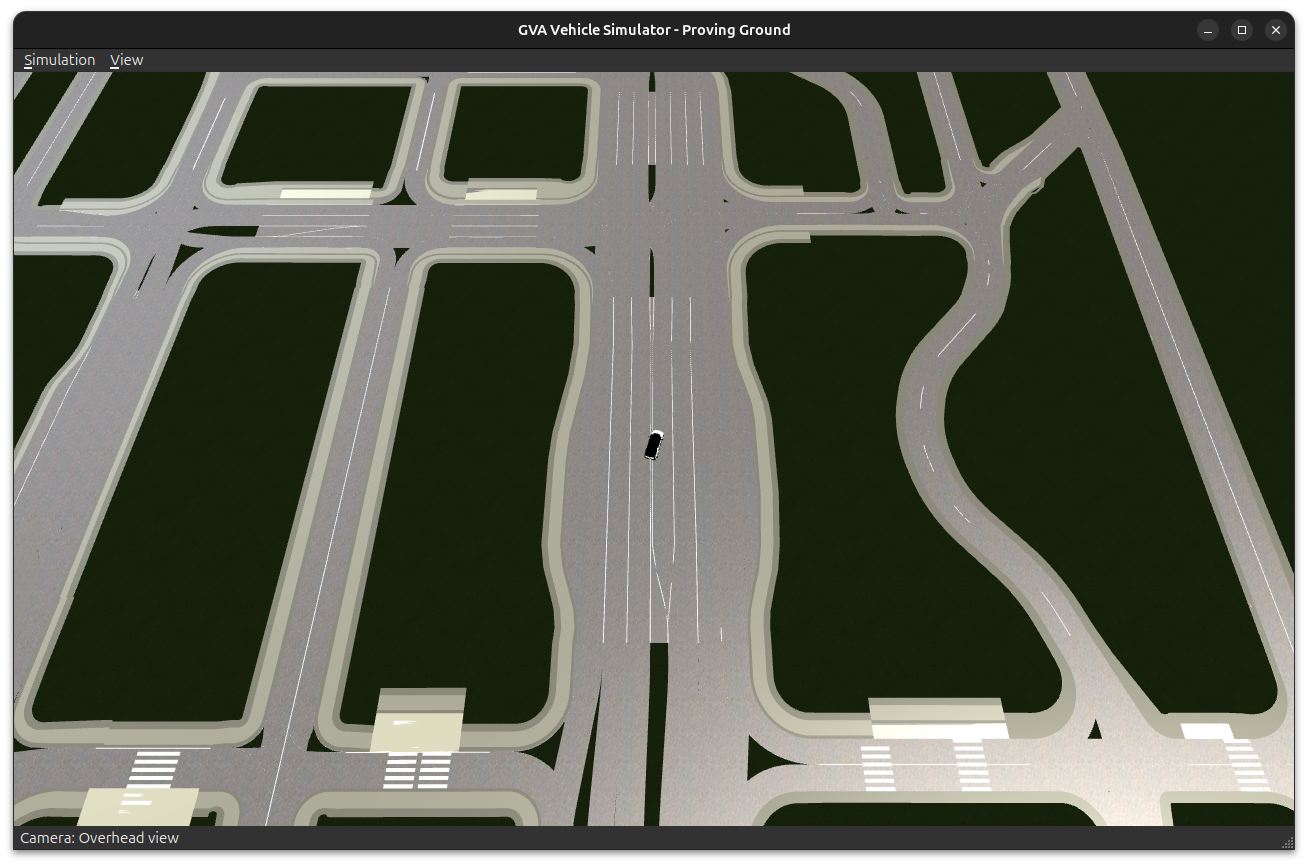
- OpenDRIVE Road Network Support: Follow realistic road geometry
- Automatic Transmission Simulation: Gear changes based on speed and throttle
- Physics-Based Dynamics: Acceleration, braking, steering with realistic constraints
- DDS Integration: Direct publishing to J1939 Automotive PSM topics
- Qt6 GUI: Real-time visualization and manual control
J1939 to DDS Gateway Architecture
The following sequence diagram illustrates the complete data flow from J1939 CAN bus messages through the gateway to DDS subscribers:
(speed, RPM, gear) Sim->>CAN: Send PGN 61444
(EEC1: Engine Speed) Sim->>CAN: Send PGN 65265
(CCVS: Vehicle Speed) Sim->>CAN: Send PGN 61445
(ETC2: Transmission) Note over CAN,Decoder: CAN Reception Phase CAN->>Reader: Read CAN frame (29-bit ID) Reader->>Reader: Validate frame Reader->>Decoder: emit canFrameReceived() Note over Decoder,Gateway: J1939 Decode Phase Decoder->>Decoder: Extract PGN from CAN ID
(bits 24-8) Decoder->>Decoder: Extract source address
(bits 7-0) Decoder->>Decoder: Extract priority
(bits 28-26) Decoder->>Decoder: Decode SPNs from payload
(bit position, scale, offset) Decoder->>Gateway: emit j1939MessageDecoded() Note over Gateway,DDS: DDS Publishing Phase Gateway->>Gateway: Create C_Parameter_Group_Definition
(if first time) Gateway->>DDS: Publish PGN definition loop For each SPN in message Gateway->>Gateway: Create C_Parameter message
(sourceID, PGN, SPN, value) Gateway->>Gateway: Set metadata
(timestamp, status) Gateway->>DDS: Publish parameter end Note over DDS,HMI: Consumption Phase DDS->>HMI: onSampleReceived()
(C_Parameter) HMI->>HMI: Update speedometer HMI->>HMI: Update tachometer HMI->>HMI: Update gear indicator Note over Gateway: Status Reporting (1 Hz) Gateway->>Gateway: Update data source status Gateway->>DDS: Publish C_Data_Source
(gateway health)
Sequence Diagram Explanation
1. Message Generation Phase
- Vehicle Simulator calculates realistic vehicle parameters based on driver inputs and physics
- Encodes parameters into J1939 CAN frames with proper PGN/SPN structure
- Transmits to virtual CAN interface (vcan0)
2. CAN Reception Phase
- SocketCanReader Qt thread continuously reads from CAN interface
- Validates CAN frame format (29-bit extended ID)
- Emits Qt signal with raw frame data
3. J1939 Decode Phase
- J1939Decoder extracts protocol information from CAN ID:
- PGN: Parameter Group Number (identifies message type)
- Source Address: ECU identifier (0-253)
- Priority: Message urgency (0=highest, 7=lowest)
- Decodes data payload into individual SPNs using configuration:
- Bit position and length
- Scale factor and offset
- Engineering units
4. DDS Publishing Phase
- Gateway publishes
C_Parameter_Group_Definition(PGN metadata) on first occurrence - For each SPN in the message:
- Creates
C_Parametermessage with value and status - Adds timestamp and source identification
- Publishes to DDS topic
- Creates
- Periodic status updates (1 Hz) publish gateway health
5. Consumption Phase
- GVA applications (HMI, LDMX) subscribe to J1939 DDS topics
- Receive parameter updates via DDS middleware
- Update UI elements (speedometer, tachometer, gear display)
Protocol Details
J1939 CAN ID Structure (29-bit)
Bits 28-26: Priority (0-7)
Bit  25:    Reserved
Bit  24:    Data Page (DP)
Bits 23-16: PDU Format (PF)
Bits 15-8:  PDU Specific (PS) - group extension or destination
Bits 7-0:   Source Address (SA)

PGN = (DP << 16) | (PF << 8) | (PS if PF >= 240 else 0)
Example CAN Frame Decoding
CAN ID: 0x18F00400
Binary: 00011000111100000000010000000000

Priority:  0x6 (bits 28-26) = 6 (normal priority)
Reserved:  0   (bit 25)
DP:        0   (bit 24)
PF:        0xF0 (bits 23-16) = 240 (broadcast)
PS:        0x04 (bits 15-8)  = 4 (group extension)
SA:        0x00 (bits 7-0)   = 0 (engine controller)

PGN = (0 << 16) | (240 << 8) | 4 = 61444 (EEC1 - Engine Controller 1)
Quick Start
1. Build Vehicle Simulator
cd build
cmake ..
make gva-vehicle-sim
2. Setup Virtual CAN
sudo scripts/test/j1939/setup-vcan.sh3. Start Vehicle Simulator
# GUI mode with OpenDRIVE track
./build/bin/gva-vehicle-sim \
  --domain=0 \
  --opendrive=data/opendrive/ZalaZONE_full.xodr \
  --can-interface=vcan0

# Headless mode with J1939 only
./build/bin/gva-vehicle-sim \
  --domain=0 \
  --can-interface=vcan0 \
  --headless
4. Start J1939 Gateway
./build/bin/gva-j1939-gateway \
  --domain=0 \
  --interface=vcan0 \
  --config=/etc/gva/j1939-config.json
5. Monitor with LDMX
./build/bin/ldmx
# Navigate to J1939 tab to see live parameters
Configuration
Vehicle Simulator Configuration
Create vehicle-sim-config.json:
{
  "j1939": {
    "enabled": true,
    "sourceAddress": 0,
    "gatewayResourceId": 1000,
    "updateRateHz": 10
  },
  "vehicle": {
    "maxSpeed": 120.0,
    "maxRpm": 6000,
    "gearRatios": [3.5, 2.5, 1.8, 1.3, 1.0, 0.8],
    "engineIdleRpm": 800
  }
}
J1939 Gateway Configuration
See /etc/gva/j1939-config.json for PGN/SPN definitions and scaling parameters.
Use Cases
1. HMI Development
- Develop vehicle dashboard without physical vehicle
- Test instrument cluster rendering and animations
- Validate warning/alarm thresholds
2. Algorithm Testing
- Test eco-driving algorithms with simulated fuel consumption
- Validate predictive maintenance logic
- Test autonomous driving decision-making
3. Integration Testing
- Verify end-to-end data flow: CAN → DDS → Application
- Test gateway performance under load
- Validate data synchronization across subsystems
4. Training & Demonstration
- Safe environment for operator training
- Customer demonstrations without vehicle
- Educational tool for GVA architecture
Performance Characteristics
| Metric | Value |
|---|---|
| CAN frame generation rate | Up to 100 Hz per PGN |
| DDS publishing latency | < 5 ms (local) |
| Gateway throughput | > 1000 PGNs/sec |
| CPU usage (simulator + gateway) | < 10% (4-core system) |
| Memory footprint | ~50 MB (combined) |
Comparison: Physical vs. Simulated
| Aspect | Physical Vehicle | Simulator |
|---|---|---|
| Hardware Cost | $50,000+ | $0 (software only) |
| Setup Time | Hours (wiring, config) | Minutes |
| Reproducibility | Limited (driver variability) | Perfect (deterministic) |
| Safety | Risk of damage/injury | Zero risk |
| Scenario Control | Difficult (weather, traffic) | Complete control |
| Data Logging | Requires equipment | Built-in |
| Parallel Testing | One vehicle at a time | Multiple instances |
Troubleshooting
Common Issues
CAN Interface Not Found
# Verify vcan0 exists
ip link show vcan0

# Recreate if needed
sudo scripts/test/j1939/setup-vcan.sh
No DDS Messages
# Check gateway is running
pgrep -a gva-j1939-gateway

# Verify domain ID matches
./build/bin/gva-j1939-gateway --domain=0
./build/bin/gva-vehicle-sim --domain=0
Gateway Not Decoding Messages
# Check CAN frames are being sent
candump vcan0

# Verify configuration file
cat /etc/gva/j1939-config.json
Reqest a demonstartion today.