VoIP Client (GVA External App)
The GVA VoIP Client runs as a Display Extension inside the GVA HMI, rendering directly on the COM (F7) functional area. This gives the crew integrated voice communications without leaving the tactical display.
For the standalone desktop version, see VoIP Client (Standalone).
Overview
When running as a GVA Display Extension, the VoIP Client:
- Registers with the GVA Registry Service via DDS
- Renders its UI within the HMI's safe area (respecting bezel button margins)
- Receives touch/mouse input forwarded from the HMI
- Adapts to the active HMI theme colours
- Streams its framebuffer to the HMI Display Extension surface
User Interface
Dialer (In-Call)
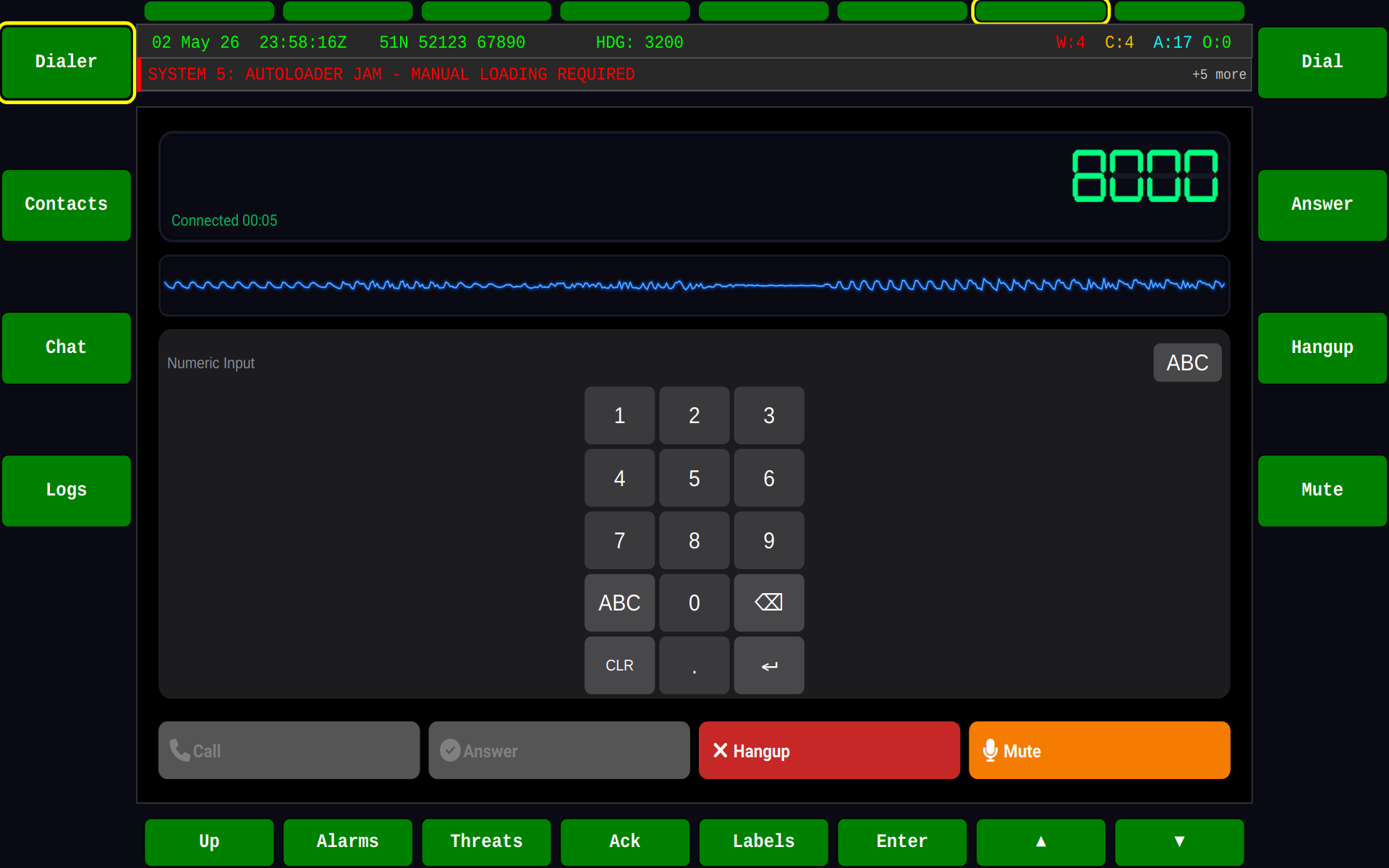
The GVA-integrated dialer showing an active call with call duration, mute, and hangup controls:
Contacts, Conference Groups & Address Book
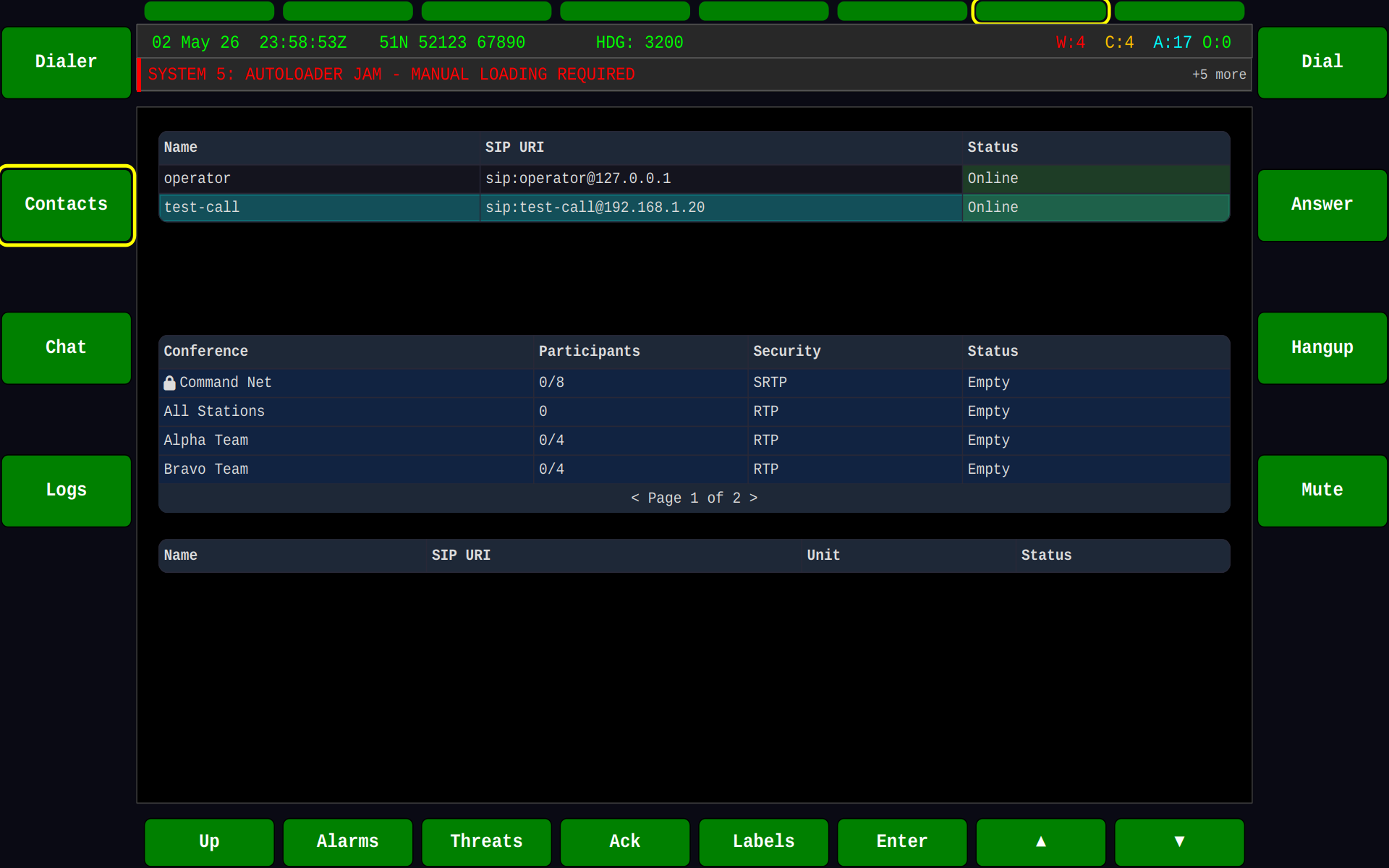
The contacts view showing online users, conference group membership, and the address book — all within the GVA HMI frame:
Call Logs
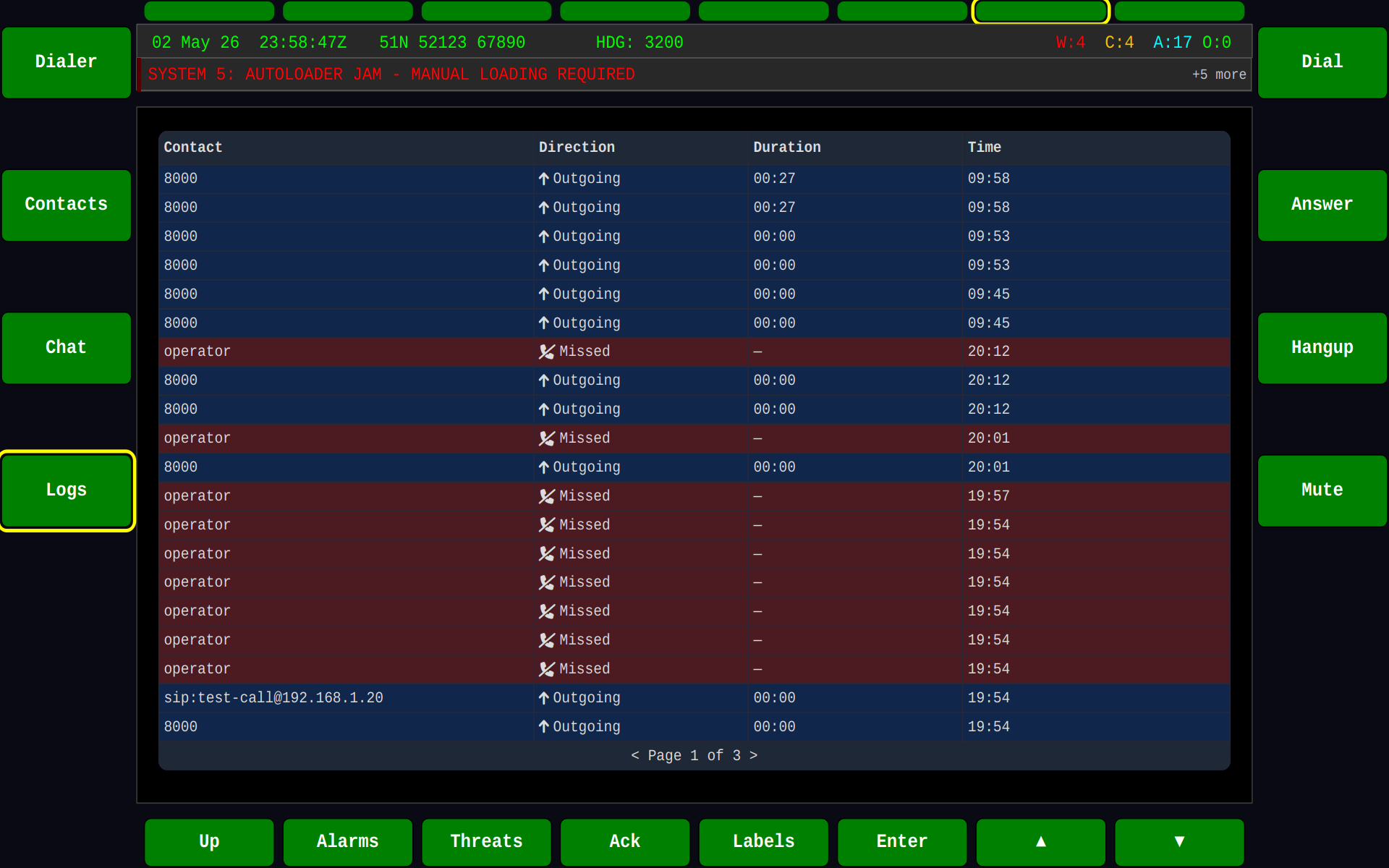
Past call history with timestamps, duration, and call direction:
Running
Prerequisites
- The GVA Registry Service must be running
- The GVA HMI must be running (COM screen active or switchable)
- The VoIP Server must be running for SIP registration
Launch Sequence
# Terminal 1: Start the registry service
sudo systemctl start gva-registry.service

# Terminal 2: Start the VoIP server
gva-voip-server --domain=0 &

# Terminal 3: Start the HMI on COM screen
gva-hmi --area=7 &

# Terminal 4: Start VoIP client in Display Extension mode
gva-voip-client \
    --user operator1 \
    --server 127.0.0.1 \
    --domain=0 \
    --display-extension
Command Line Options (GVA-specific)
| Option | Description |
|---|---|
--display-extension |
Run as GVA Display Extension (no standalone window) |
--domain=<N> |
DDS domain ID (must match HMI and registry) |
All standard VoIP client options (codec profile, server, user, etc.) also apply.
Features
Conference Groups
The GVA client displays server-defined conference groups. Crew members can join/leave groups and see who is currently online in each group:
- Command — Vehicle commander net
- Alpha/Bravo/Charlie — Squad-level nets
- All Stations — Broadcast group
Online Presence
Real-time presence indicators show which users are:
- Online (green) — Registered and available
- In Call (amber) — Currently on a call
- Offline (grey) — Not registered
Call Logs
The logs tab provides a searchable history of all past calls with:
- Caller and callee names
- Call direction (inbound/outbound/missed)
- Timestamp and duration
- Call outcome (completed, missed, failed)
Theme Integration
The GVA client adapts its rendering to match the active HMI theme. Dark backgrounds, accent colours, and font styles are inherited from the GVA theme engine, ensuring visual consistency with the rest of the tactical display.
Display Extension Architecture
HMI safe area
See Also
- VoIP Client (Standalone) — desktop version
- VoIP Server — SIP registrar
- External Applications — Display Extension architecture
- HERMES Overview