Situational Awareness (SA)
The Situational Awareness functional area (F1) provides video and camera feeds with tactical overlays including a PPI radar widget. This is the default screen shown when the HMI starts.
Camera Views
The SA screen supports flexible camera layout configurations to suit operational needs.
Single Camera View
A single camera feed with an information strip:
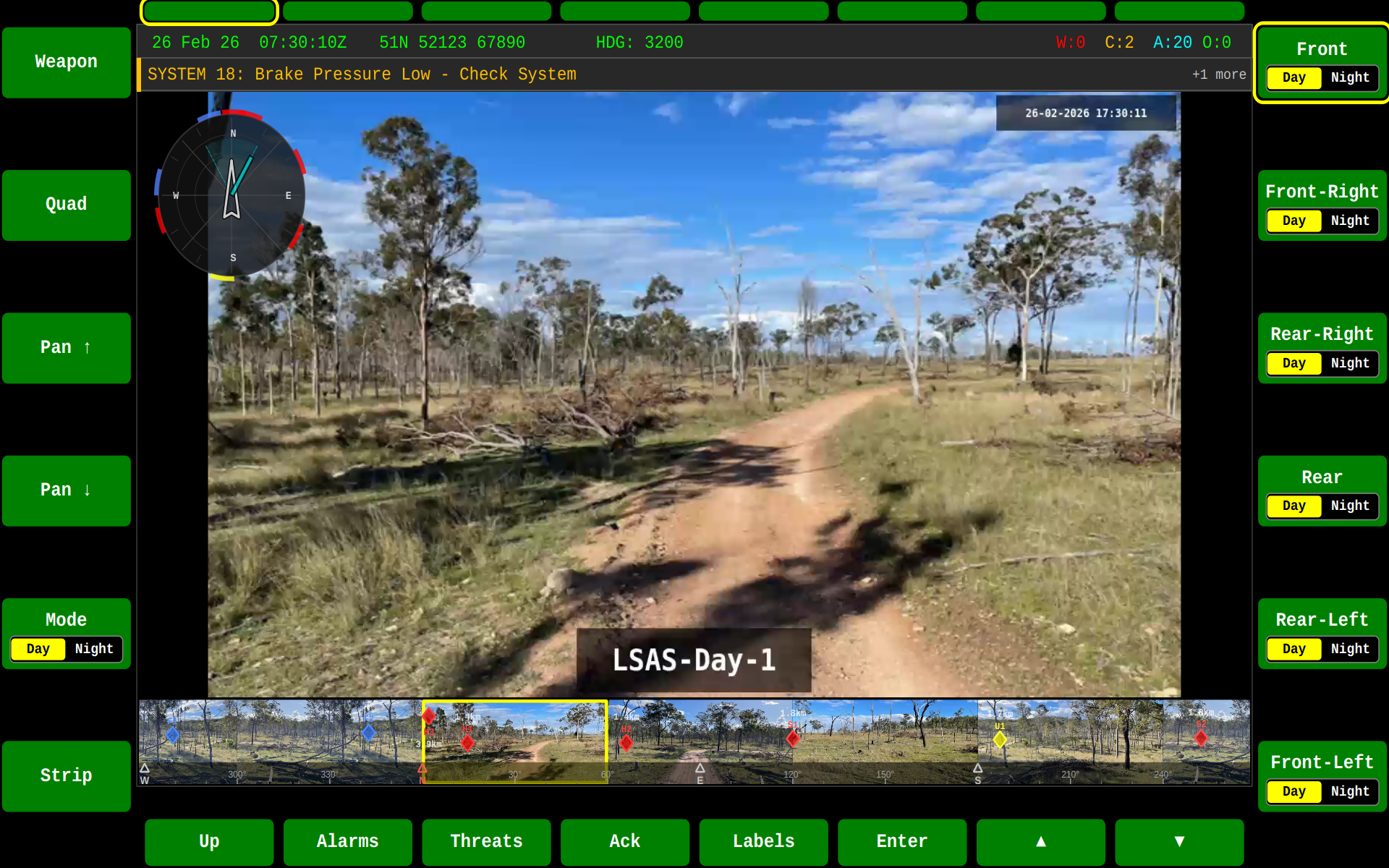
Camera with Strip Layout
The strip layout provides additional status information alongside the camera feed:
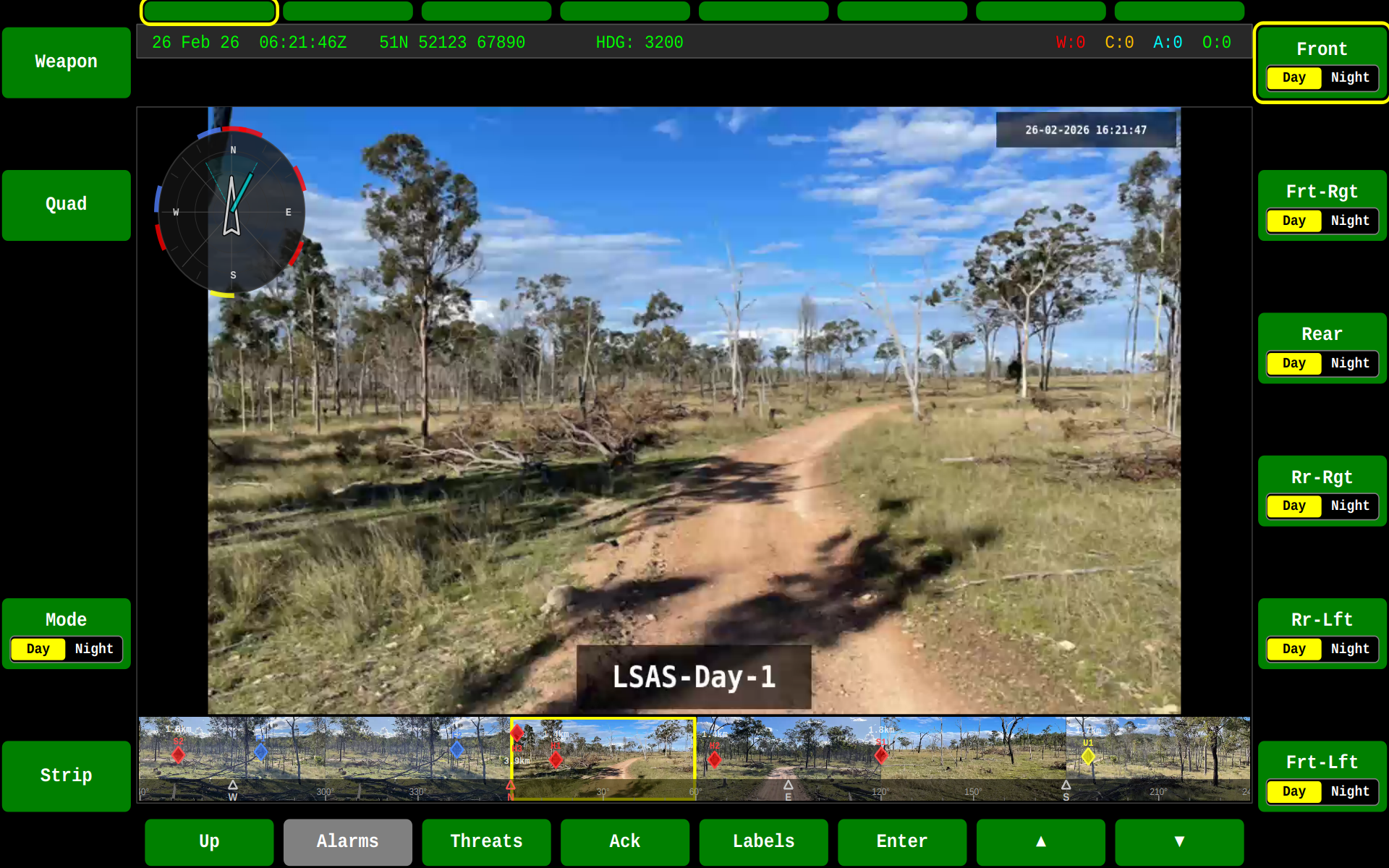
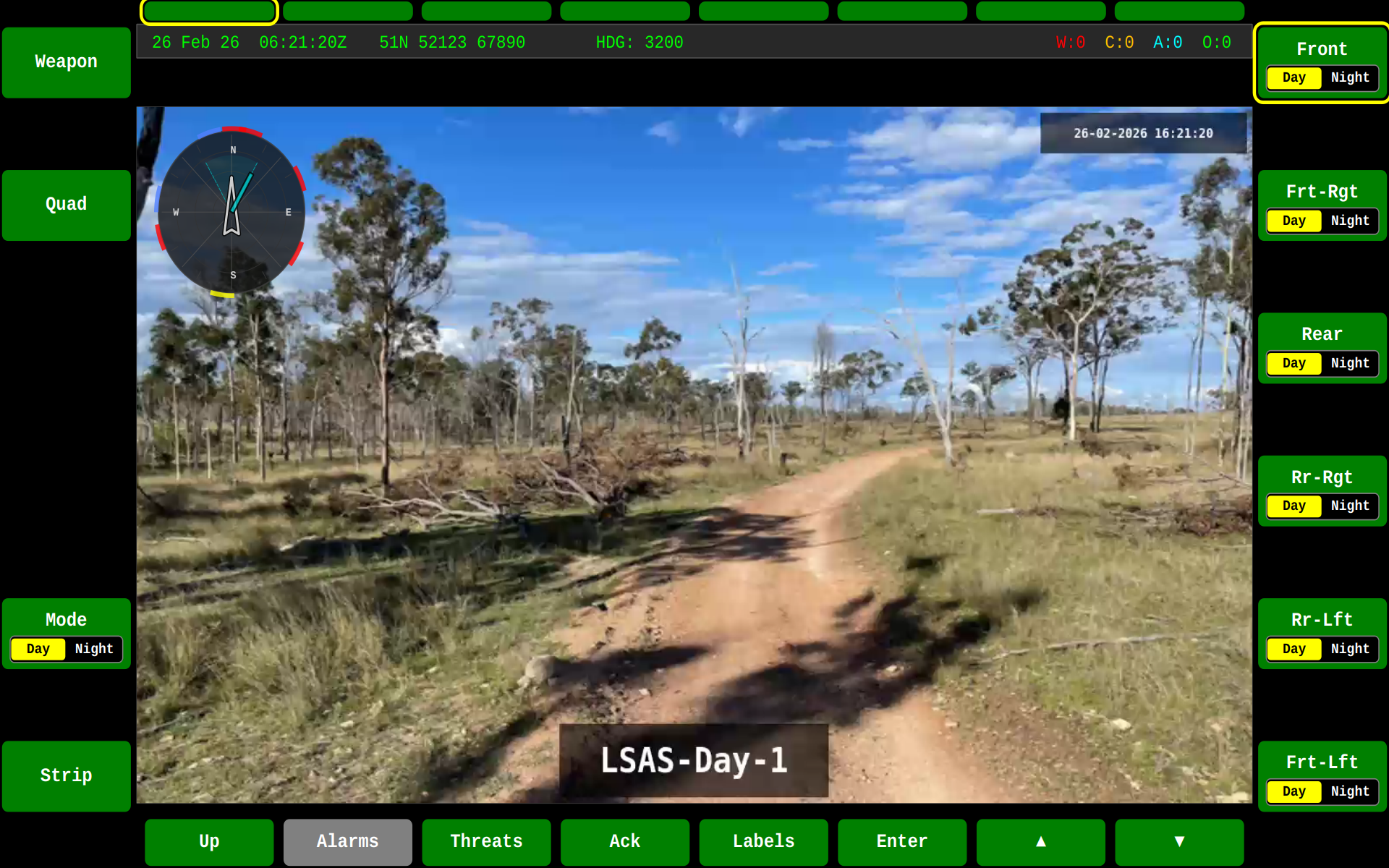
Single Stream
A full-frame camera stream without strip:
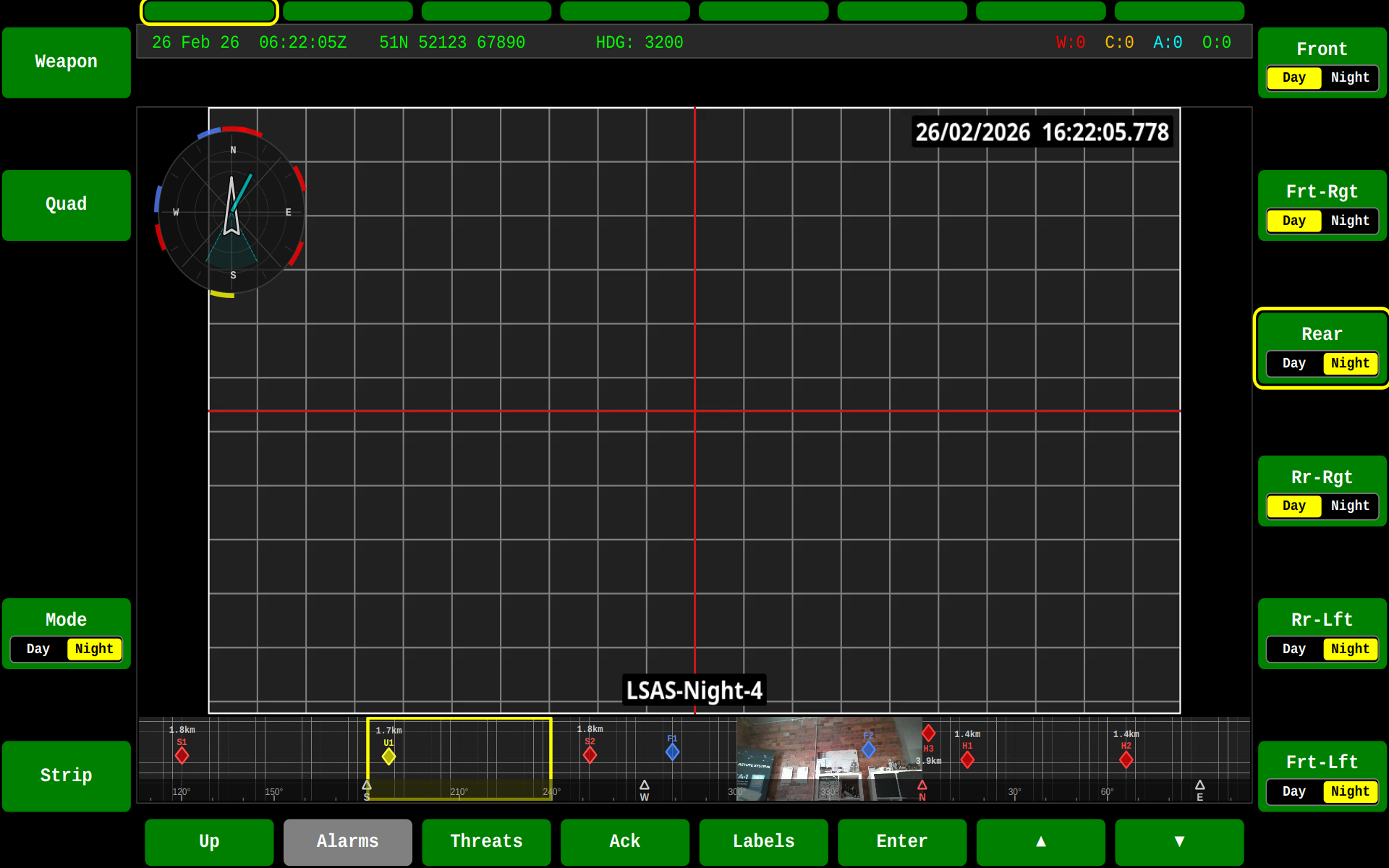
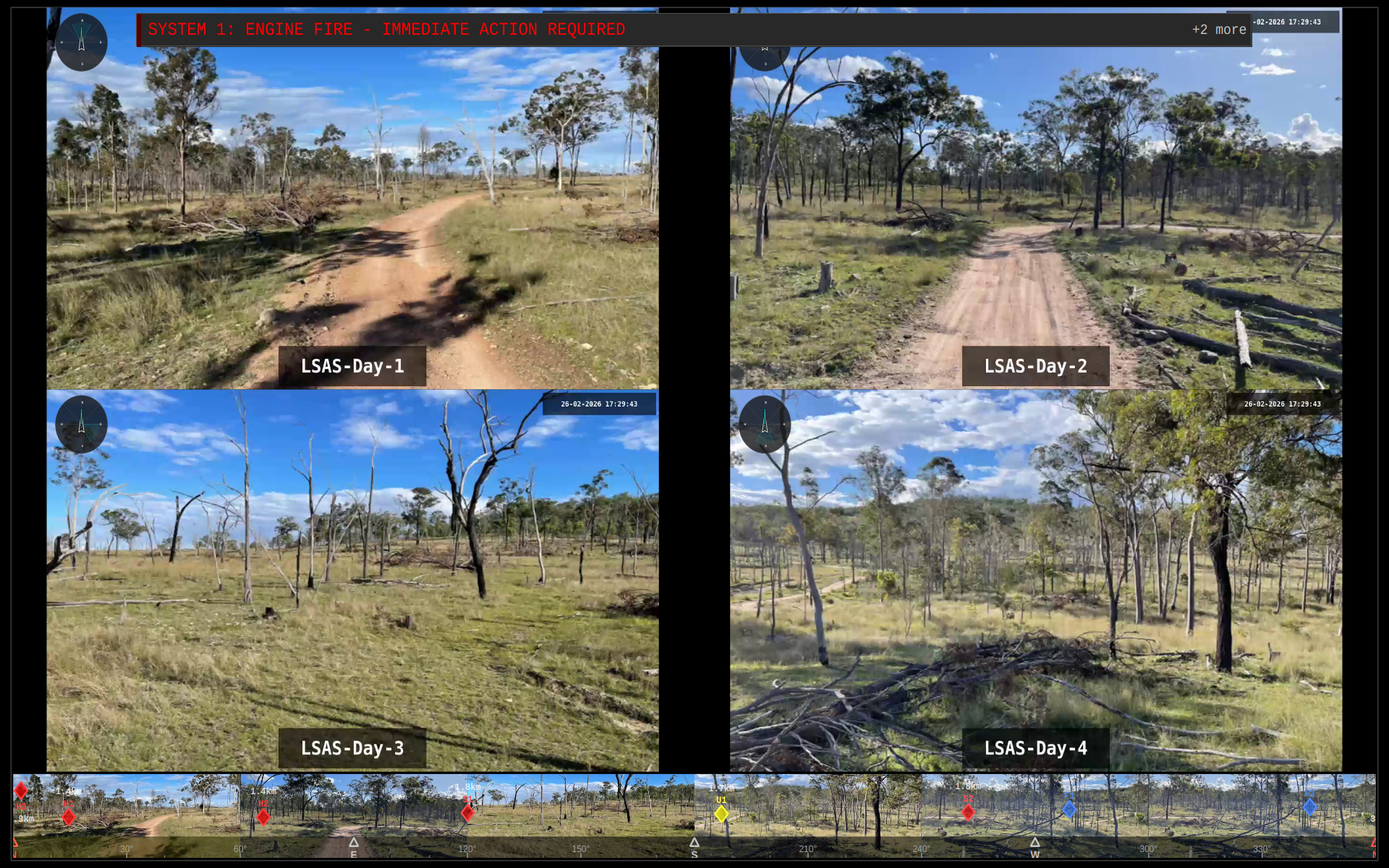
Quad Camera Views
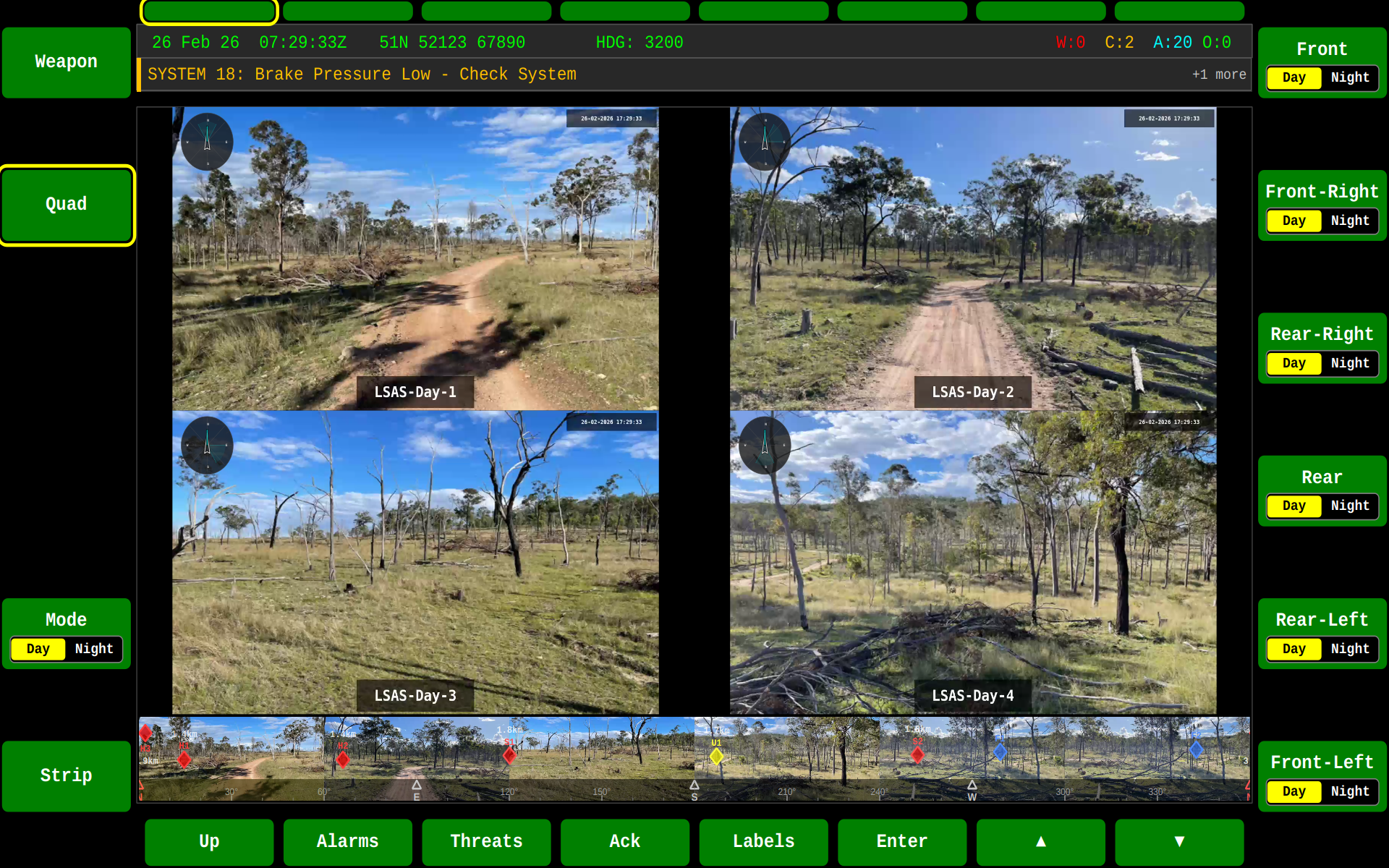
Multiple camera feeds can be displayed simultaneously in quad layout:
| Day Mode | Night Mode | Fullscreen |
|---|---|---|
 |
 |
 |
PPI Overlay
The SA screen includes a Plan Position Indicator (PPI) overlay that displays a radar-style situational awareness indicator on top of the camera feed. The PPI can show:
- Vehicle heading indicator
- Range rings
- Threat contacts as colour-coded markers
- Field of view arc
See the PPI page for details on available styles and configuration.
LSAS Strip
The LSAS (Local Situational Awareness System) strip shows six live camera thumbnails in a horizontally scrollable view with a 360° direction bar. When threats are present, diamond-shaped indicators are overlaid directly onto the camera thumbnails at the corresponding bearing.
- Toggle the strip with F6 on the SA screen
- Switch day/night mode with F5
- Threat diamonds appear at the corresponding bearing on camera views
- Closer threats appear lower, distant threats appear higher on the thumbnails
See Threats for more details on threat indicator overlays.
SA Controls
| Key | Action |
|---|---|
| F1 | Switch to SA screen |
| F5 | Toggle day/night mode |
| F6 | Toggle LSAS camera strip |
State Machine
Configuring Camera Streams
Camera streams are defined in gva-hmi-config.json. Each camera entry specifies the MediaX SAP session names for day/night modes, the bearing and field of view, multi-language labels, and placement in the strip, quad, and function key layouts.
Configuration File Location
The HMI searches for gva-hmi-config.json in the following locations (first match wins):
- Current working directory
<cwd>/etc/gva-hmi-config.json<executable_dir>/etc/gva-hmi-config.json<executable_dir>/../etc/gva-hmi-config.json<executable_dir>/gva-hmi-config.json/etc/gva/gva-hmi-config.json
Alternatively, specify the path explicitly:
Camera JSON Schema
{
    "cameras": [
        {
            "dayStream": "LSAS-Day-1",
            "nightStream": "LSAS-Night-1",
            "bearing": 0,
            "fov": 60,
            "labels": {
                "en": "Front",
                "fr": "Avant",
                "de": "Vorne",
                "es": "Frente",
                "it": "Davanti"
            },
            "button": 7,
            "stripPosition": 0,
            "quadPosition": 0
        }
    ]
}
Camera Properties
| Property | Type | Required | Description |
|---|---|---|---|
dayStream |
string | Yes | MediaX SAP session name for daytime video |
nightStream |
string | No | MediaX SAP session name for night/thermal video |
bearing |
number | No | Camera bearing in degrees (0=North, clockwise). Default: 0 |
fov |
number | No | Field of view in degrees. Default: 60 |
labels |
object | No | Per-language display labels (keyed by language code) |
label |
string | No | Legacy single label (stored as English). Use labels instead |
button |
integer | No | Function key binding (e.g. 7 = F7). -1 if unbound |
stripPosition |
integer | No | Position in LSAS strip (0-based). -1 if not in strip |
quadPosition |
integer | No | Position in quad view (0-3). -1 if not in quad |
Complete 6-Camera Example
A typical vehicle configuration with 6 cameras at 60° spacing providing 360° coverage:
{
    "cameras": [
        {
            "dayStream": "LSAS-Day-1",
            "nightStream": "LSAS-Night-1",
            "bearing": 0,
            "fov": 60,
            "labels": {"en": "Front", "fr": "Avant", "de": "Vorne"},
            "button": 7,
            "stripPosition": 0,
            "quadPosition": 0
        },
        {
            "dayStream": "LSAS-Day-2",
            "nightStream": "LSAS-Night-2",
            "bearing": 60,
            "fov": 60,
            "labels": {"en": "Frt-Rgt", "fr": "Av-Drt", "de": "Vor-Rts"},
            "button": 8,
            "stripPosition": 1,
            "quadPosition": 1
        },
        {
            "dayStream": "LSAS-Day-3",
            "nightStream": "LSAS-Night-3",
            "bearing": 120,
            "fov": 60,
            "labels": {"en": "Rr-Rgt", "fr": "Ar-Drt", "de": "Hnt-Rts"},
            "button": 9,
            "stripPosition": 2,
            "quadPosition": 2
        },
        {
            "dayStream": "LSAS-Day-4",
            "nightStream": "LSAS-Night-4",
            "bearing": 180,
            "fov": 60,
            "labels": {"en": "Rear", "fr": "Arrière", "de": "Hinten"},
            "button": 10,
            "stripPosition": 3,
            "quadPosition": 3
        },
        {
            "dayStream": "LSAS-Day-5",
            "nightStream": "LSAS-Night-5",
            "bearing": 240,
            "fov": 60,
            "labels": {"en": "Rr-Lft", "fr": "Ar-Gch", "de": "Hnt-Lnk"},
            "button": 11,
            "stripPosition": 4,
            "quadPosition": -1
        },
        {
            "dayStream": "LSAS-Day-6",
            "nightStream": "LSAS-Night-6",
            "bearing": 300,
            "fov": 60,
            "labels": {"en": "Frt-Lft", "fr": "Av-Gch", "de": "Vor-Lnk"},
            "button": 12,
            "stripPosition": 5,
            "quadPosition": -1
        }
    ]
}
How Stream Names Map to MediaX
The dayStream and nightStream values are SAP (Session Announcement Protocol) session names used by the MediaX streaming library to discover RTP streams on the network. A MediaX transmitter advertises each camera under its session name, and the HMI subscribes by matching names.
For example, a camera publisher would advertise:
# MediaX transmitter for front camera (day)
mediax-tx --session-name="LSAS-Day-1" --source=/dev/video0 --codec=h264
Layout Positioning
stripPosition(0–5): Determines left-to-right order in the LSAS horizontal thumbnail strip. Cameras withstripPosition: -1do not appear in the strip.quadPosition(0–3): Determines position in the 2×2 quad view (0=top-left, 1=top-right, 2=bottom-left, 3=bottom-right). Only the first 4 cameras can appear in quad view.button(7–12): Maps to function keys F7–F12 for direct camera selection on the SA screen.
Default Configuration
If no gva-hmi-config.json is found, the HMI falls back to a built-in default: 6 cameras at 60° intervals (Front, Frt-Rgt, Rr-Rgt, Rear, Rr-Lft, Frt-Lft) with full multi-language labels, mapped to F7–F12, all in the strip, and the first four in quad view.
Related
- PPI Widget — Radar overlay styles and configuration
- Threats — Threat detection and tracking displays
- DEF — Defence screen with dedicated radar view